GetFuturix Team
Your best Instagram post this month probably took four hours to make and reached fewer people than it would have in 2023. I’ve watched that exact frustration play out across dozens of small business accounts I’ve helped manage, and it’s the reason AI for Instagram growth has gone from a buzzword to a genuine necessity in 2026.
Instagram now has roughly 3 billion monthly active accounts competing for the same attention span, according to Meta’s own usage data. Reach per post has dropped in several independent benchmarks over the past year, even as posting demands have gone up. The accounts still growing aren’t posting more — they’re working smarter, and AI is how they’re doing it.
This guide skips the “10 tools you’ve already heard of” format. Instead, I’ll walk through what actually moves the needle: which parts of your workflow AI should touch, which parts it shouldn’t, and how to build a stack that fits whether you’re a beginner, a working professional, or a small business owner juggling social media alongside everything else.
Table of Contents
What “AI for Instagram Growth” Actually Means in 2026
AI for Instagram growth means using AI tools to handle the repetitive parts of running an account — caption drafting, scheduling, hashtag research, comment replies, and performance analysis — so you can spend your limited time on strategy and original content.
It does not mean buying followers, running a bot account, or letting AI publish on autopilot with zero human review. Those approaches violate Instagram’s terms, and they tend to collapse an account’s reach within weeks.
Three things changed between 2023 and now that make this distinction matter more:
- Competition tripled. More accounts, more content, less attention per post.
- The algorithm got pickier. Watch time, saves, and shares now outweigh likes.
- AI got genuinely useful. Caption tools, schedulers, and inbox assistants stopped being gimmicks and started saving real hours.
That last point is why a workflow, not a single app, is what actually produces compounding growth.
Wait — Doesn’t Instagram Punish AI-Made Content?
This question comes up in almost every consultation I run, so let’s settle it directly.
Instagram’s head, Adam Mosseri, said in a year-end memo that the platform would lean into “raw” and more human-feeling content through 2026, and Instagram now visibly labels posts made or edited with AI, a policy detailed on the Meta Transparency Center. That headline made a lot of creators nervous. But labeling isn’t the same as demotion.
What actually gets penalized is unoriginal, templated, or reposted content — not the use of AI itself. Instagram’s content guidelines state that accounts publishing mostly non-original material, including minimally edited reposts, can be excluded from recommendations to new audiences. Ten or more unoriginal reposts inside a rolling 30-day window is enough to trigger that exclusion.
Here’s the practical takeaway:
- Using AI to draft a caption, then editing it in your own voice: fine.
- Using AI to generate ideas or repurpose one long post into three short ones: fine.
- Posting AI-generated video with zero originality or direction, on repeat, every day: risky.
- Reposting someone else’s content with a watermark or no edits: penalized, AI or not.
My rule of thumb after years of running client accounts: AI should shorten your production time, not replace your point of view. The moment a feed feels indistinguishable from a template, both your audience and Instagram’s ranking systems notice.
The Ranking Signals Your AI Strategy Should Target
Before picking tools, it helps to know exactly what you’re optimizing for. Instagram’s ranking systems differ by surface (Feed, Reels, Stories, Explore), but a handful of signals now matter almost everywhere, based on Instagram’s own creator resources.
| Signal | Why It Matters in 2026 |
|---|---|
| Watch time / completion rate | The single strongest Reels ranking factor |
| Saves per reach | Signals “reference-worthy” content worth resurfacing |
| DM shares (sends) | The clearest proxy for content people actually value |
| Two-way replies | Fast responses to comments and DMs now factor into distribution |
| Originality | AI-fingerprinting detects reposts and unmodified recycled content |
Likes, by comparison, have become the weakest signal in the mix. If your content strategy is still chasing likes, you’re optimizing for the wrong number.
Build a Layered AI Stack, Not One Miracle App
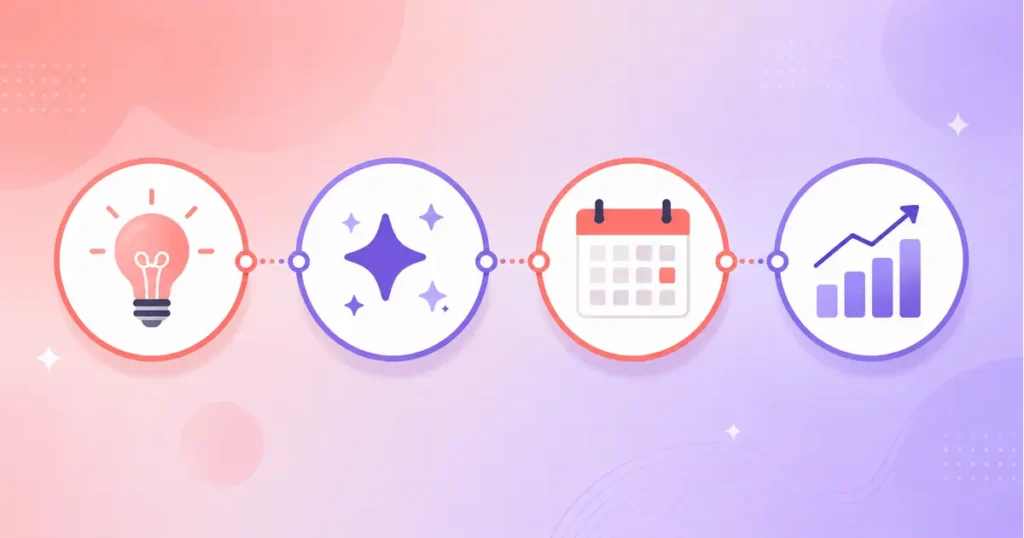
No single AI Instagram growth app does everything well, and the accounts that grow fastest in 2026 typically run two or three tools that each own a different job. Here’s how I’d break that stack down.
AI Content and Caption Creation
This is where most people start, and it’s the easiest win. AI design and writing tools can turn a rough idea into a polished caption, carousel outline, or hashtag set in minutes.
- Best for beginners: an AI design tool for visuals plus a general AI chat tool for captions.
- Best for professionals and brands: a dedicated caption tool trained on your brand voice, so output doesn’t sound generic across a whole content calendar.
- Watch out for: captions that read like every other AI-written caption. Always add one specific detail, story, or opinion an AI wouldn’t invent on its own.
AI Content Calendar Generators
An AI content calendar generator takes your niche, posting cadence, and content pillars, then outputs a structured plan instead of a blank grid. This solves the single biggest reason accounts go inconsistent: decision fatigue.
A good AI content calendar generator should:
- Balance content types (educational, promotional, behind-the-scenes) automatically
- Suggest formats — Reels, carousel, or static — based on what’s working in your niche
- Let you regenerate one slot instead of the entire plan
- Export or sync directly into your scheduler
→ See also: Free AI Headshot Generator 2026: No-Pay Guide
AI Tools to Manage Social Media
Once content exists, AI tools to manage social media handle publishing at the right time, tracking what’s working, and keeping your inbox from becoming unmanageable. This is the layer most small business owners underestimate.
- Scheduling: predicts optimal posting windows based on your specific audience’s activity, not a generic “best times” chart.
- Analytics: surfaces which hooks and formats are actually driving saves and shares, not just likes.
- Unified inbox: pulls comments and DMs across platforms into one place so nothing sits unanswered for six hours.
A solo creator usually only needs a scheduler with built-in AI captions and analytics. A small business managing multiple platforms will get more value from a unified management platform with team permissions.
AI DM and Comment Automation
This is the most overlooked layer, and arguably the one with the highest return for small businesses. An account posting five times a week can generate well over a thousand comments and DMs weekly once it gains traction, and manually answering all of it isn’t realistic.
AI-powered DM and comment tools can:
- Answer common questions instantly — hours, pricing, availability
- Detect purchase or booking intent and route it to a checkout or calendar link
- Tag leads by interest so follow-up isn’t guesswork
- Stay within Instagram’s approved automation guidelines when connected through Meta’s official API
Skipping this layer is the most common reason businesses feel like Instagram “isn’t converting,” even when their content is genuinely good.
A 5-Step AI Workflow for Growing Your Instagram in 2026

Here’s the actual sequence I use when setting up an account, condensed into five steps.
- Generate a content calendar for the next 2–4 weeks using an AI planner built around your niche and pillars.
- Draft content with AI, then edit it in your own voice. Add one real detail or opinion an AI couldn’t invent.
- Schedule at AI-recommended times rather than guessing, and prioritize Reels and carousels over single static posts.
- Automate first-response DMs and comments, but review flagged or high-intent conversations personally.
- Review analytics weekly, not daily, and double down on whatever earns saves and shares, not just likes.
I set this exact loop up for a small bakery client last year. She had one hour a week to spend on Instagram and was posting maybe twice a month before that. Within six weeks of running steps one through five on a Sunday, her posting became daily-Reels-plus-weekly-carousel consistent, and her DM response time dropped from a day-plus to under an hour, without adding any time to her week.
Don’t Stop at Instagram: AI Tools for Pinterest Marketing
If Instagram is your only visual platform, you’re leaving reach on the table, and Pinterest is the most underrated companion to it. A pin has a far longer shelf life than a Reel, often driving traffic for months after it’s posted.
AI tools for Pinterest marketing now cover most of the same jobs as your Instagram stack:
- Pin design: AI resizing and template tools that turn one piece of content into a Pinterest-ready vertical pin in seconds
- Keyword and annotation research: AI tools that surface which search terms Pinterest’s own algorithm associates with top-performing pins in your niche
- Cross-posting: schedulers that adapt a single piece of content for Instagram, Pinterest, and Facebook without manual resizing each time
- Performance prediction: newer AI features that estimate which pins are likely to gain traction based on historical patterns
The efficient move is repurposing, not creating separate content from scratch. A carousel built for Instagram can usually become three or four Pinterest pins with minimal extra work once the right tool sits in your stack.
AI Tools for Pinterest Marketing: Free Traffic in 2026 covers Pinterest SEO and pin design in more depth if that platform is new to you.
Which AI Tools Fit Your Stage? A Quick Comparison
| Your Stage | Priority Job | What to Look For | Typical Monthly Cost |
|---|---|---|---|
| Beginner / solo creator | Consistency without burnout | Free-tier caption tool + simple scheduler | $0–$20 |
| Working professional (side brand) | Time efficiency | AI content calendar generator + scheduler with analytics | $20–$50 |
| Small business owner | Lead capture, not just reach | DM/comment automation + unified scheduler | $50–$150 |
| Agency / multi-client team | Scale and reporting | Full management platform with team permissions | $150+ |
There’s no single “best” AI tool for Instagram growth. The right stack depends on which job is currently costing you the most time, or the most leads.
Mistakes That Quietly Kill AI-Assisted Growth
A few patterns show up again and again in accounts that plateau despite using AI tools:
- Publishing AI drafts unedited. Generic phrasing is easy to spot, and audiences disengage from content that feels templated.
- Ignoring the DM layer entirely. Automating publishing but not conversations leaves your highest-intent audience unanswered.
- Chasing likes instead of saves and shares. Optimizing for the wrong metric wastes both your strategy and your AI tool’s recommendations.
- Running one tool for everything. Most all-in-one platforms are strong in one area and mediocre in three others.
- Skipping the analytics review. AI can generate content forever, but without a weekly feedback loop, it just keeps generating more of what isn’t working.
FAQs About AI for Instagram Growth
Is it safe to use AI tools for Instagram growth?
Yes, as long as the tools connect through Instagram’s official API and you avoid password-sharing bot services or engagement pods. Content-generation and scheduling tools carry essentially no account risk; growth services that promise a specific follower count in a set timeframe are the ones worth avoiding.
Does Instagram penalize AI-generated content?
No, not simply for being AI-made. Instagram penalizes unoriginal, reposted, or templated content, and AI-generated posts that are original and well-edited get ranked the same as any other content.
What’s the best free AI tool for Instagram growth?
For most beginners, a free AI design tool for visuals paired with a general AI chat tool for captions covers the essentials at zero cost. Several schedulers also offer functional free tiers with basic AI caption and hashtag support.
Can AI actually get me real followers?
AI tools don’t generate followers directly — they remove the friction that stops consistent, high-quality posting. The follower growth comes from better content and faster response times, not from the AI itself.
How much do AI social media management tools cost?
Pricing typically ranges from free tiers for solo creators up to $150+ per month for small business platforms with automation and team features, and $300+ for agency-tier tools managing multiple client accounts.
What AI tools work for both Instagram and Pinterest?
Several cross-platform schedulers now support both, letting you draft once and auto-adapt sizing and formatting for each platform’s requirements, which is worth prioritizing if you’re active on both.
If there’s one thing worth taking away from all of this, it’s that AI doesn’t replace the work of building an audience — it just clears out the busywork standing between you and doing that work consistently. Start with the one layer costing you the most time this week, and build outward from there.
Want more practical AI guides for small business owners? Browse our full library at GetFuturix.com.
Related articles on GetFuturix:
Try these free tools

GetFuturix Team
Sharing practical guides on AI, tools and digital growth.