GetFuturix Team
I cancelled four paid SEO subscriptions on the same afternoon, and my traffic went up over the next eight months, not down. That’s the short version of why I’m confident you can learn how to use AI for keyword research without handing a single dollar to Ahrefs, Semrush, or any other subscription tool.
This isn’t a “just type your topic into ChatGPT and hope” post. It’s the exact free workflow I still use today — the AI prompts, the free data sources that back them up, and the honest moment when a paid tool like Surfer SEO actually starts to earn its keep.
Table of Contents
Why Free AI Keyword Research Tools Actually Works in 2026
Search behavior changed faster than most SEO advice caught up to. People aren’t just typing three-word phrases into Google anymore — they’re asking full questions to ChatGPT, Gemini, and AI Overviews, and that shift plays directly into what AI is naturally good at.
AI is genuinely great at three things paid tools have historically charged you for:
- Turning one seed topic into dozens of related ideas in seconds
- Reading the intent behind a phrase — is this person browsing, comparing, or ready to buy?
- Grouping scattered keywords into tight topic clusters you can actually write around
What AI still can’t do on its own is report real search volume or a trustworthy difficulty score. That gap is exactly where most “free keyword research” guides quietly fall apart. I’ll show you how to close it without paying for anything.
What AI Can (and Can’t) Do for Keyword Research
Before you build a workflow, it helps to know exactly where the line sits.
AI is strong at:
- Brainstorming seed keywords and long-tail variations from a single topic
- Writing question-based keywords that match how people talk to AI search tools
- Clustering keywords by theme and matching them to search intent
- Spotting content gaps when you feed it competitor headings or summaries
AI is weak at:
- Reporting real monthly search volume — it will guess, and it will guess wrong
- Producing an accurate keyword difficulty score without live SERP data
- Knowing what’s ranking right now unless it can browse or connect to a live source
Treat AI as your brainstorming partner, not your data source. It’s excellent at ideas and structure; it’s unreliable on hard numbers. Mix the two up, and you’re planning content around figures nobody can actually verify.
The Free AI + Free Data Stack (Zero Subscriptions)
Here’s the real toolkit. Every piece is free, and together they cover what a $99-a-month subscription promises.
1. ChatGPT, Gemini, or Claude for Ideation
Use any general AI chatbot to explode one seed keyword into a real content map. This is your ideation engine, not your data source, so don’t stop here.
Try this prompt:
“I write about [your niche] for [your audience]. Give me 40 long-tail keyword ideas around ‘[seed keyword]’, grouped by search intent: informational, commercial, and transactional.”
2. Google Keyword Planner Without Running Ads
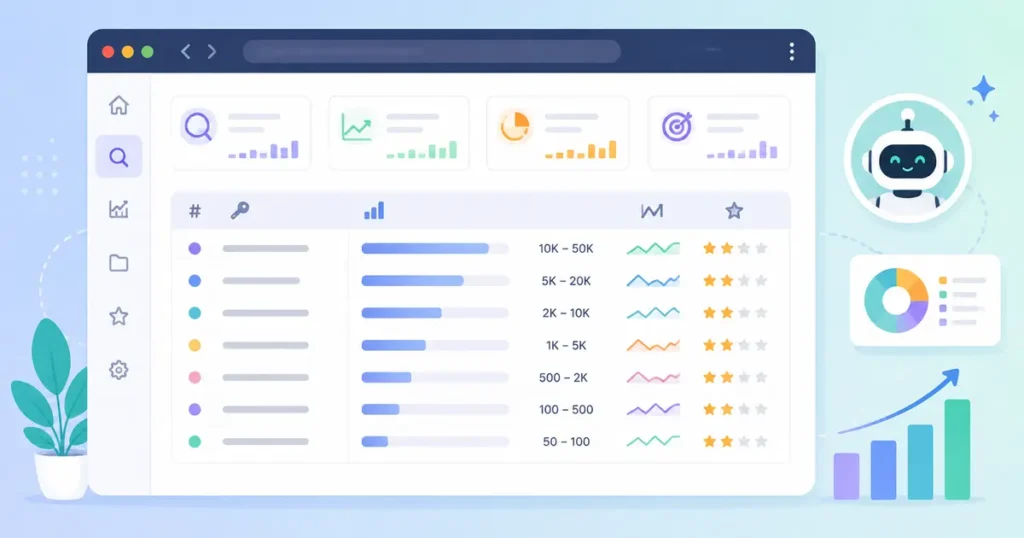
This is the step most beginners skip because they assume it requires an ad budget. It doesn’t, and skipping it is the single biggest reason free keyword research gets a bad reputation.
Steps to access Google Keyword Planner for free:
- Create a Google Ads account — no card required just to browse
- When prompted to build a campaign, switch to Expert Mode and skip campaign creation
- Open Tools → Planning → Keyword Planner
- Use “Discover new keywords” and paste in your AI-generated list to pull real volume ranges
Accounts without active ad spend see volume as ranges instead of exact numbers, but ranges are more than enough to prioritize an AI-generated list. RankMath has a clean walkthrough if you get stuck on setup.
3. Google Search Console: Your Own Hidden Keyword Database
If your site has any traffic at all, Search Console already knows which queries you’re almost ranking for. Filter for queries sitting at position 8–20 — those are your fastest wins, since you’re already close and just need a stronger, more focused page.
4. Google Trends for Timing and Direction
Trends won’t give you volume, but it tells you whether a topic is rising, flat, or fading — context an AI chatbot simply doesn’t have access to on its own.
5. Autocomplete, People Also Ask, and Real Conversations
Type your seed keyword into Google and note every autocomplete suggestion and “People Also Ask” question that appears. Then check Reddit and Quora threads on the same topic. This is where you’ll find the exact phrasing real people use, which AI tends to smooth over into generic, forgettable phrasing.
→ See also: How to Use AI to Grow a Blog: My 3-Month Experiment
The 2026 Shift: Connecting AI Directly to Real Keyword Data
Here’s what almost every other guide on this topic misses, and it’s the biggest change in how this workflow looks compared to a year ago.
Modern AI assistants can now connect to live external data sources mid-conversation through connector-style integrations, letting the AI query a real keyword database instead of estimating one from memory. Several keyword platforms now offer limited free-tier access this way, which means you can ask an AI chatbot for a keyword’s real volume or difficulty and get an answer pulled from an actual database, not a hallucinated guess.
Why this matters for a zero-budget workflow:
- You stop tab-switching between a chatbot and a separate keyword tool for every single check
- The same AI can cluster, prioritize, and validate numbers in one continuous conversation
- Free-tier query limits are usually generous enough for a solo blogger or small business, even if they won’t cover agency-scale research
This won’t fully replace a paid subscription for high-volume work across dozens of client sites. For the beginner, blogger, or small business owner this guide is written for, though, it closes the single biggest gap in free AI keyword research: trustworthy numbers.
Step-by-Step: The Full AI Keyword Research Workflow
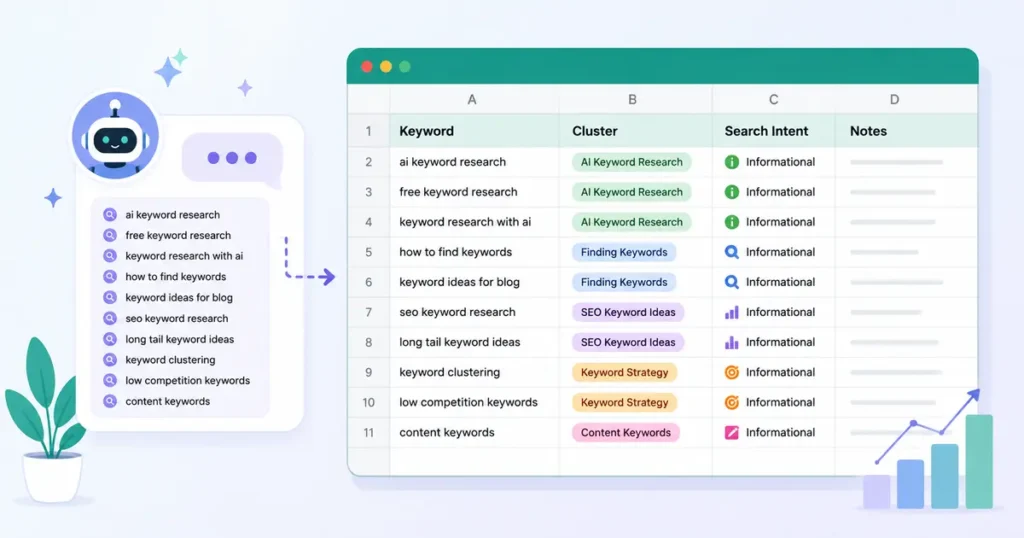
This is the exact sequence, start to finish.
- Pick one seed keyword tied to a real product, service, or problem you actually solve. Vague seed terms produce vague, unusable keyword lists.
- Ask AI to expand it into 30–50 variations, grouped by intent, using the ideation prompt above. Don’t edit yet — just gather everything.
- Pull real volume ranges for your strongest 15–20 candidates using Google Keyword Planner. This is where guesses become numbers.
- Check Search Console for near-miss queries you’re already ranking for but haven’t targeted directly. These convert into wins faster than brand-new topics.
- Cluster by topic, not by keyword. One well-built article should target a whole cluster of related phrases, not a single exact-match term.
- Run a manual difficulty check. Search the keyword and study the top 10 results — thin content, outdated pages, or forum threads ranking well usually signal a winnable keyword.
- Prioritize by opportunity, not volume alone. A 90-search-a-month keyword with weak competition often outperforms a 2,000-search keyword you’ll never crack page one for.
For step 6, let AI help you read the competition instead of doing it purely by eye:
“Here are the top 5 ranking pages for ‘[keyword]’: [paste titles or summaries]. Based on this, what’s missing that a smaller, more specific article could cover better?”
How to Write SEO Content With AI (Once Your Keywords Are Set)
Keyword research only pays off if the content built on top of it actually ranks. Here’s how to use AI for the writing stage without producing the kind of generic article that reads like every other AI-written post online.
- Feed AI your research, not just a title — hand it the keyword cluster, the intent, and your own real experience with the topic
- Ask for a skeleton, not a finished draft — outlines from AI are reliable; full first drafts usually need a heavy human editing pass
- Insert your own examples, numbers, and mistakes — this is the E-E-A-T signal AI genuinely cannot fake on your behalf
- Have AI check readability, not write your final voice — ask it to flag long sentences and passive voice, then rewrite those specific lines yourself
- Add structured data so search engines and AI systems can both parse your content cleanly; Google’s own structured data documentation is the most reliable reference for getting this right
One habit worth building into every article: under each H2, write a direct two-to-three sentence answer before you expand into detail. It’s a small formatting change, and it noticeably improves your odds of winning featured snippets.
Formatting for AI Search: AEO and GEO Basics
Traditional SEO gets your page ranked. Answer Engine Optimization and Generative Engine Optimization get your page cited inside ChatGPT, Perplexity, and Google’s AI Overviews — and the keyword research you just did feeds directly into this.
- Check your robots.txt to confirm you’re not accidentally blocking AI crawlers like GPTBot, ClaudeBot, or PerplexityBot
- Use FAQPage schema on any FAQ section so AI systems can parse question-and-answer pairs structurally, not just visually
- Lead each section with a direct answer before expanding — AI tools favor content that’s easy to extract and quote cleanly
- Keep content fresh — AI engines weigh recency heavily when choosing which source to cite, so revisit cornerstone articles regularly
If you want to go deeper on this side of optimization, Search Engine Land’s GEO guide is a solid technical reference.
Best AI SEO Tools 2026: Free vs. Paid (When to Upgrade)

Not every free workflow needs to stay free forever. Here’s an honest breakdown of when a paid tool actually starts pulling its weight.
| Free AI Stack | Entry Paid Tool | Pro Content Tool | |
|---|---|---|---|
| Monthly cost | $0 | $15–$50 | $89–$199+ |
| Search volume accuracy | Ranges only | Exact figures | Exact + historical trends |
| Competitor gap analysis | Manual | Semi-automated | Fully automated |
| Content scoring | None | Basic | Real-time NLP scoring |
| Best for | Solo bloggers, new sites, tight budgets | Freelancers managing 2–3 clients | Agencies, high-volume content teams |
If you’re publishing fewer than 8–10 articles a month, the free stack covers you completely. Once you’re managing multiple sites or clients and manual cross-checking starts eating more hours than it saves, that’s your actual signal to upgrade — not a vague feeling that “real SEOs use paid tools.”
Surfer SEO Tutorial for Beginners: Do You Actually Need It?
Since Surfer SEO comes up in nearly every “best AI SEO tools” conversation, here’s a quick, honest look at what it does and where it fits after you’ve already done free keyword research.
What Surfer actually does: it scans the top-ranking pages for your target keyword and reports which terms, headings, and word counts show up most often among the pages already winning, then scores your draft against that benchmark as you write.
A basic beginner walkthrough:
- Sign up and connect Google Search Console so Surfer can see your existing rankings
- Open Content Editor and enter the target keyword you already validated for free
- Review the suggested terms and target word count pulled from the top 10 results
- Write or paste your draft, then work through the flagged gaps one at a time
- Recheck your score before publishing — but don’t chase 100. A well-written 80 beats a stuffed 100 every time.
My honest take: Surfer is genuinely useful once you’re optimizing content at volume, but it’s solving a different problem than keyword research. It won’t find your keywords for you — it optimizes content around keywords you’ve already chosen, which is exactly why the free workflow above belongs first in your process, not last.
Common Mistakes When Using AI for Keyword Research
- Trusting AI’s made-up volume numbers instead of verifying them against a real data source before you commit
- Targeting keywords with no clear intent match to what you’re actually offering, which tanks conversion even if traffic arrives
- Skipping the manual SERP check and assuming “AI said it’s low competition” is proof enough on its own
- Writing one article per keyword instead of clustering related terms into a single, stronger piece
- Copying AI’s exact phrasing into headings instead of adjusting it to match your real voice and audience
My Free Keyword Research Workflow in Action
Here’s what this looked like on a real client site last quarter. The seed topic was “email marketing for small bakeries” — painfully niche, but exactly the kind of topic free tools handle well.
I asked ChatGPT for 40 variations grouped by intent, dropped the strongest 18 into Google Keyword Planner, and found three keywords sitting in a low-competition volume range with almost no real competition on page one. Search Console showed we were already ranking position 14 for a related phrase nobody had targeted directly yet.
One article, built around that cluster, hit page one in five weeks. Total research budget: $0.
FAQs about How to Use AI for Keyword Research
Can I use ChatGPT for keyword research?
Yes — ChatGPT is strong for generating keyword ideas, understanding intent, and clustering topics. It cannot reliably report real search volume, so pair it with a free data source like Google Keyword Planner or Search Console before committing to a topic.
Is AI keyword research accurate?
The ideas and intent analysis are generally solid; the raw numbers usually are not. Always validate volume and competition against a real data source rather than taking an AI’s estimate at face value.
What’s the best free AI tool for keyword research?
There isn’t one single winner. ChatGPT, Gemini, and Claude are all capable for ideation, and the real difference comes from pairing whichever one you prefer with Google Keyword Planner and Search Console for validation.
Do I need Surfer SEO or Semrush if I already use AI?
Not at first. Free AI plus free Google data covers keyword research completely for most bloggers and small businesses. Paid tools earn their cost once you’re managing enough volume that manual cross-checking becomes the bottleneck.
How often should I redo my keyword research?
Revisit your core topics every three months, and treat a rising Google Trends signal or a shift in AI search behavior as a reason to check in sooner. Search patterns are moving faster in 2026 than they used to.
Where to Start This Week
Pick one seed keyword tied to something you actually sell or write about, and run it through this exact workflow before you touch a single paid tool. Chances are you already had everything you needed — you just hadn’t been shown how to look at it the right way.
Want more practical AI guides for small business owners? Browse our full library at GetFuturix.com.
Related articles on GetFuturix:
Try these free tools

GetFuturix Team
Sharing practical guides on AI, tools and digital growth.