GetFuturix Team
Perplexity AI Tutorial for Students: Is It Actually Better Than Google in 2026?
I switched my main research tab from Google to Perplexity AI three months before finals, and I never switched back.
If you’re reading this Perplexity AI tutorial for students, you’ve probably heard the hype already: an AI-powered search tool that answers your question directly, cites its sources, and skips the ten blue links. I wanted to know if it actually holds up for real coursework, not just flashy demos. So I ran it side by side with Google for a full semester on real assignments and tracked where each one actually won.
Short version: Perplexity is genuinely stronger for research-heavy work, and Google still wins a handful of everyday tasks. This guide walks through how to actually use Perplexity as a student, where it beats Google, and the one habit that will save you from citing a source that doesn’t say what Perplexity claims it says.
Table of Contents
What Is Perplexity AI, Exactly?
Perplexity AI is an answer engine. You ask it a question, it searches the live web, reads what it finds, and writes you a direct answer with numbered citations you can click through.
That’s the whole pitch, and it’s a genuinely different model from a traditional search engine. Google hands you a results page and expects you to do the reading. Perplexity does the reading first and shows its work.
A few things separate it from a regular chatbot, too:
- It searches live, so answers reflect what’s actually on the web right now, not just what a model memorized during training.
- Every claim gets a citation, numbered and clickable, so you can check the source yourself.
- It runs multiple AI models — its own Sonar models, plus GPT, Claude, and Gemini on paid plans — instead of locking you into one.
- Focus modes let you narrow a search to academic papers, Reddit discussions, YouTube, or a math engine before you even type a question.
For students specifically, that citation-first design is the whole appeal. You’re not just getting an opinion from a chatbot. You’re getting a starting point you can actually trace back to a real source.
→ See also: 7 Best Free AI Tools to Summarize Textbooks (2026 Guide)
Perplexity vs Google: Which One Should Students Actually Use?
This is the question everyone actually wants answered, so let’s not bury it.
Neither tool wins outright. Perplexity is built for synthesis, Google is built for discovery — and once you know which mode you’re in, the right choice gets obvious fast.
Where Perplexity Wins
- Literature reviews and source-backed research. Academic Focus mode narrows results to scholarly sources instead of SEO blog spam.
- Multi-step questions. You can ask a follow-up without starting a new search from scratch.
- Comparing conflicting information. Perplexity synthesizes multiple sources into one answer instead of making you open ten tabs.
- Working from your own materials. Upload a PDF, slide deck, or syllabus and ask questions directly about it.
Where Google Still Wins
- Local results, maps, and shopping. Perplexity simply doesn’t compete here.
- Breaking news in the last few hours, where Google’s index tends to update faster.
- Broad, exploratory browsing, when you don’t know what you’re looking for yet and want to wander across different sites and framings.
- Multimedia-heavy searches — images and video that Google indexes far more deeply.
Here’s how they stack up on the tasks students actually run into most:
| Student Task | Better Tool | Why |
|---|---|---|
| Literature review with citations | Perplexity | Academic Focus + built-in source citations |
| Quick fact or definition | Either | Both are fast; Perplexity skips the click-through |
| Comparing 3+ conflicting sources | Perplexity | Synthesizes instead of making you read each one |
| Local study spots, store hours, maps | Perplexity has no local/maps layer | |
| Breaking campus or world news | Larger, faster-updating index | |
| Asking questions about an uploaded PDF | Perplexity | Native file upload and Q&A |
| Finding video tutorials | Google (YouTube) | Perplexity’s Video focus exists but is thinner |
If you only remember one rule from this Perplexity AI tutorial for students, make it this: reach for Perplexity when you need an answer synthesized from multiple sources, and reach for Google when you’re exploring something local, visual, or brand-new.
Getting Started: Your First 10 Minutes on Perplexity AI
Here’s the actual step-by-step, not the marketing version.
Step 1: Create an Account (Optional, But Worth It)
You can use Perplexity without an account, but signing up saves your search threads and unlocks Collections and Spaces later. Use your school email if you plan to verify for a student discount down the line — it makes that step faster.
Step 2: Pick the Right Focus Mode
Before you type anything, check the Focus setting at the bottom of the search box. Each mode changes which corner of the web Perplexity searches:
- All — the general web, the default setting
- Academic — scholarly papers and journals, best for research papers and literature reviews
- Writing — turns off web search entirely, useful for brainstorming or drafting
- Social — pulls from Reddit and similar platforms for real opinions and discussions
- Video — searches YouTube and video platforms
- Wolfram|Alpha — routes to a computational engine, ideal for math and science
Switching to Academic mode before a research assignment is the single biggest quality upgrade most students skip.
Step 3: Ask Questions, Not Keywords
Perplexity handles natural language far better than keyword strings. Instead of typing “causes French Revolution,” try: “What were the three main economic causes of the French Revolution, and which historians disagree about their relative importance?”
You’ll also get more out of follow-up questions than starting over each time:
- Start broad: “What is cognitive load theory?”
- Narrow it: “How does cognitive load theory apply to multimedia learning?”
- Get practical: “Give me three ways to reduce cognitive load in a study guide I’m making.”
Step 4: Verify Before You Cite
This is the step most tutorials skip, and it’s the one that actually protects your grade. More on exactly why below.
→ See also: How to Summarize Documents With AI in Under 2 Minutes
Using Perplexity AI for Research Papers
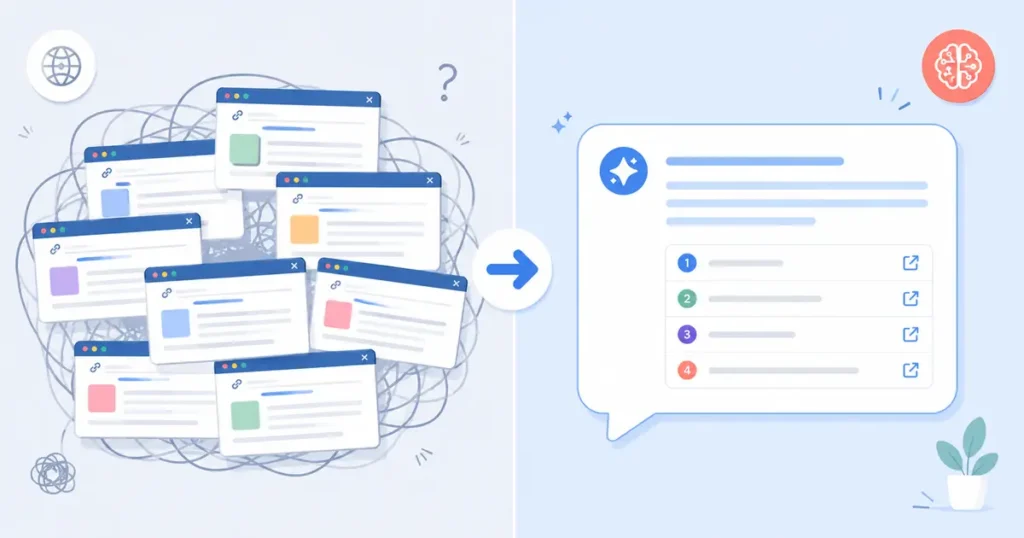
This is where most of the AI tools for research papers conversation happens, and where Perplexity genuinely earns its reputation. Out of every AI tool for research papers I tried this year, it’s the only one where the citation sits right next to the claim instead of buried in a separate “sources” tab.
Literature Reviews with Academic Focus
Switch to Academic Focus, then ask a specific research question rather than a broad topic. “What does recent research say about the relationship between sleep deprivation and working memory in college-age students?” will get you a far more useful answer than “sleep and memory.”
Perplexity will summarize findings across multiple papers and cite each one, giving you a starting reading list instead of a single answer to copy.
Perplexity Spaces for Group Projects
Spaces work like a shared research folder for a class, project, or study group. You can drop in your syllabus, lecture notes, and past assignments, then ask questions across all of it — “Based on the syllabus, what should I focus on for the midterm?” — without re-explaining context every time.
The Citation-Accuracy Problem No One Tells You About
Here’s the part most “how to use Perplexity” guides leave out, and it’s arguably the most important thing in this entire article.
Perplexity has publicly cited a citation-accuracy rate above 90%. Independent researchers at Columbia University’s Tow Center for Digital Journalism tested this directly, feeding eight AI search tools a quote from a news article and asking each one to correctly identify the source. Perplexity came out ahead of every competitor tested, yet it still answered roughly 37% of queries incorrectly, and the paid Pro version performed no better than the free tier (Columbia Journalism Review).
That gap matters because a citation that exists isn’t the same as a citation that supports the exact claim attached to it. Perplexity can link you to a real, credible source and still misattribute the specific fact it’s citing.
A citation number next to a sentence tells you a source exists. It doesn’t tell you the source actually says what the sentence claims. That part is on you to check.
Here’s the workflow I actually use now:
- Click every citation before it goes anywhere near your paper, not just the ones that seem surprising.
- Read the actual sentence or paragraph the citation points to, not just the headline.
- Cross-check any number, date, or statistic against a second source before you use it.
- Never paste Perplexity’s summary text directly into your paper. Use it to find the source, then write from the source yourself.
Treat Perplexity like a fast, usually-right research assistant, not like a professor who’s always right.
How to Use AI for Studying: Turning Perplexity Into a Study Partner
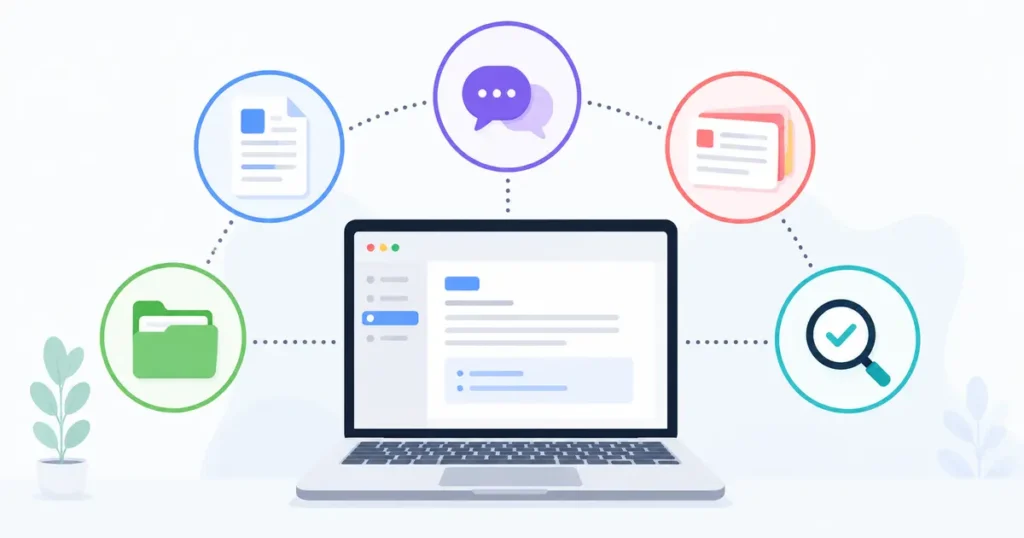
Research is only half of what students actually need from AI. The other half is retention, and this is where how to use AI for studying gets genuinely useful.
Cognitive science has a clear answer for what actually improves memory: active recall and spaced repetition beat re-reading by a wide margin. Perplexity isn’t a dedicated flashcard app, but you can still use it to build a real study habit instead of a passive scroll:
- Turn your notes into quiz questions. Paste a section of your notes and ask Perplexity to generate five short-answer questions, then answer them from memory before checking.
- Ask it to explain, not summarize. “Explain this like I’m hearing it for the first time” forces more useful engagement than “summarize this.”
- Build a spaced review schedule. Ask it to lay out a review plan across several days before an exam, then actually follow it.
- Use Learn Mode on Pro, if you have access. It’s built specifically for interactive quizzing rather than one-shot answers.
The tool doesn’t do the learning for you. It just removes the setup friction that usually pushes students back toward passive re-reading.
Where Perplexity Fits Among the Best AI Tools for Students in 2026
Perplexity is strong, but it isn’t the only tool you need. Most students who use AI well aren’t running one app — they’re running a small, deliberate stack. Search any roundup of the best AI tools for students 2026 has to offer and you’ll see the same handful of names on repeat, so here’s exactly where Perplexity slots in.
Here’s where Perplexity actually fits among the best AI tools for students in 2026:
- Perplexity — cited web research, literature reviews, fact-checking
- ChatGPT or Claude — brainstorming, drafting, explaining a concept from a different angle
- NotebookLM — source-grounded notes when you want answers pulled only from your own uploaded material
- Grammarly or QuillBot — grammar, tone, and clarity passes on writing that’s already yours
- Wolfram|Alpha (or Perplexity’s Wolfram focus mode) — step-by-step math and computation
The mistake I see most often is students treating one AI tool as a universal fix. Perplexity is excellent at finding and citing information. It’s not the tool you want drafting your actual thesis statement or catching a comma splice.
Is Using Perplexity AI Cheating? Academic Integrity, Answered
Short answer: using Perplexity to find sources is research. Using its written summary as your words is a problem.
Most academic integrity policies weren’t written with AI search tools in mind, but the underlying principle hasn’t changed. If you read a source Perplexity pointed you to, understood it, and wrote your own analysis, that’s exactly what research has always looked like — just faster.
If you copy Perplexity’s summarized answer straight into your paper without reading the underlying source, you’ve skipped the actual work the assignment was testing.
A rule that’s held up for me: Perplexity can point you to sources. It shouldn’t write your sentences. Check your specific course and institution’s AI policy too, since these vary a lot between departments and even individual professors.
My Verdict After a Semester of Using Both
I didn’t fully switch, and I don’t think anyone reasonably should.
Perplexity became my default for anything that started with “what does the research say” or “help me compare these sources.” Google stayed my default for anything local, visual, or genuinely exploratory, where I didn’t know what I was looking for yet.
The real shift wasn’t which tool I opened first. It was that I stopped assuming either one was automatically right, and started treating both as a first draft of an answer instead of a final one.
Perplexity AI Tutorial for students FAQs
Is Perplexity AI free for students?
Yes. Perplexity has a free tier anyone can use, including students, though it caps how many “Pro Search” queries you get in a given window. Verified students and educators can also access a discounted paid tier — check Perplexity’s official student page for current pricing and terms, since promotions change often.
Is Perplexity AI better than Google for research papers?
For source-backed research and literature reviews, generally yes — Academic Focus mode and built-in citations save real time. For local information, breaking news, or broad exploratory searching, Google is still the stronger tool.
Can professors tell if I used Perplexity AI?
They can often tell if you pasted AI-generated text directly into your paper, the same way they’d catch any writing that doesn’t sound like you. They generally can’t tell if you used Perplexity to find sources you then read and wrote about yourself.
Does Perplexity AI ever give wrong information?
Yes. Independent testing has found real citation-accuracy issues, even though Perplexity performs better on this than most competing AI search tools. Always click through and verify a citation before using it in graded work.
What’s the difference between Perplexity Free and Perplexity Pro for students?
Free gives you a limited number of Pro Search queries and basic model access. Pro (or a discounted student tier) adds unlimited file uploads, access to more advanced underlying models, and features like Learn Mode. Most students can start free and only upgrade once they hit its limits.
→ See also: Top 10 Free AI Tools for Beginners in 2026 (No Credit Card)
Try these free tools

GetFuturix Team
Sharing practical guides on AI, tools and digital growth.