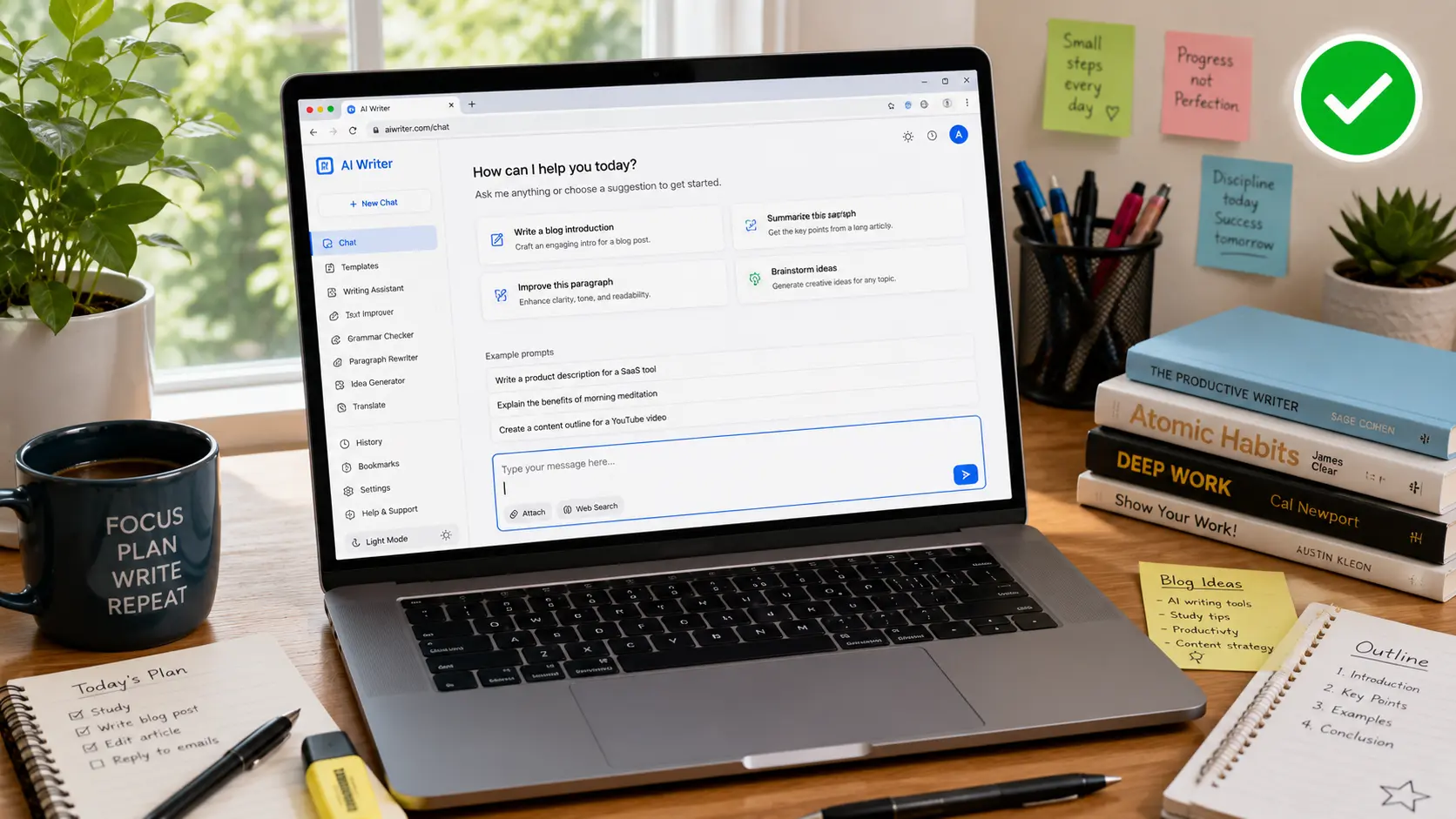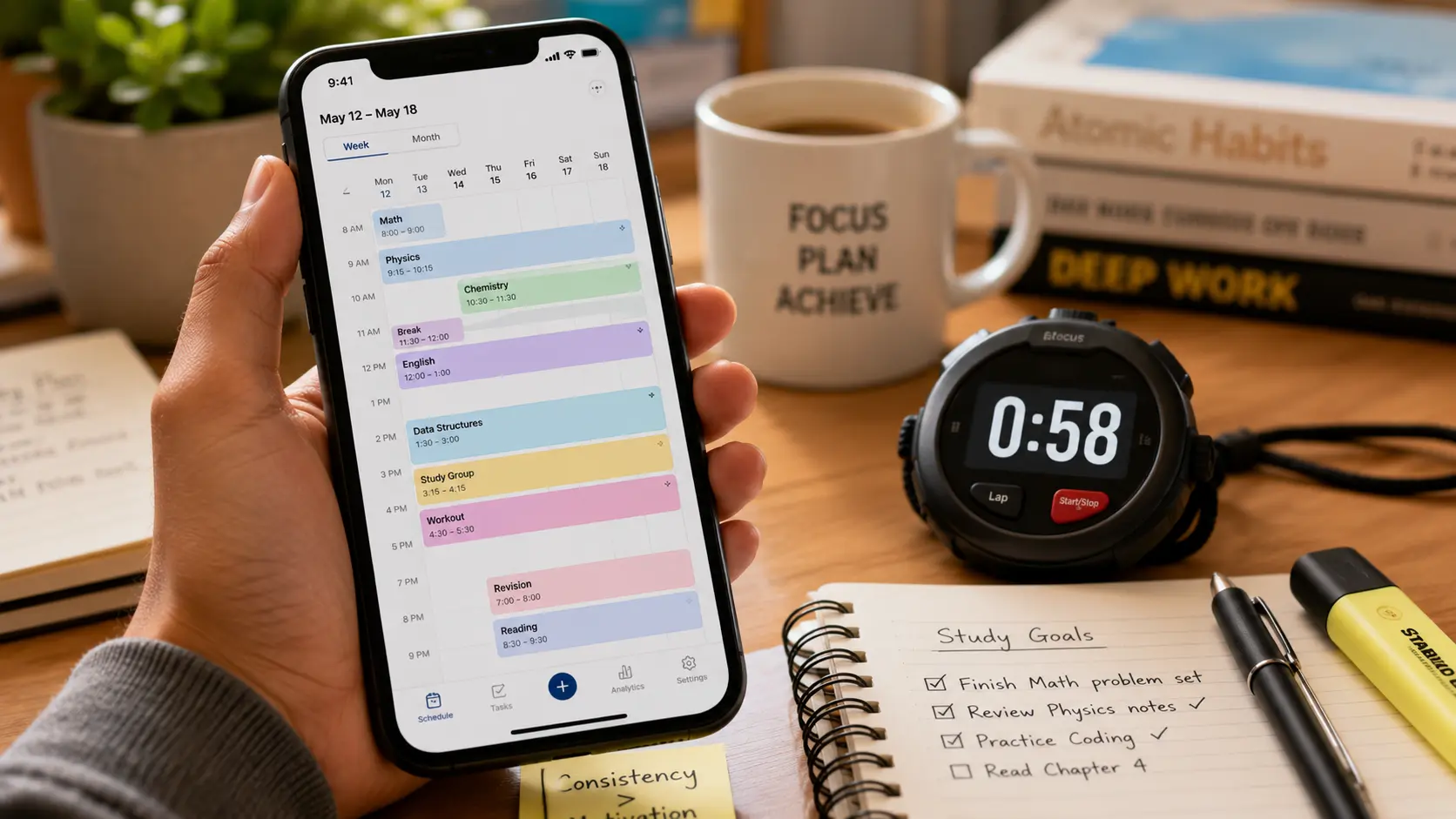
Sixty seconds is real. Just not for the reason most tools claim.
An AI study schedule generator can genuinely produce a first-draft weekly plan in under a minute — that part isn’t marketing hype. What takes longer, and what actually determines whether the plan works, is being honest about your own workload before you type anything in.
Here’s how to build a real one, why the psychology behind it is stronger than most productivity content admits, and the exact prompt to copy right now.
Table of Contents
Why “60 Seconds” Is True (And What It Doesn’t Include)
Let’s be straight about the claim in this title, because a lot of similar articles oversell it.
Generating a study schedule takes about sixty seconds once you already know your subjects, deadlines, and available hours. That’s the actual, honest speed of typing a request into ChatGPT or a dedicated planner and watching a structured week appear. Deciding what those inputs actually are — that’s the part that takes real thought, and it’s not something any tool can do for you.
Compare that to planning manually: building a detailed weekly study plan by hand typically eats 30 to 45 minutes, according to student productivity research. An AI study schedule generator compresses that specific step to roughly two minutes — the time savings is real, it’s just narrower than “solves your whole semester” marketing copy implies.
Over a full semester, that time savings compounds. Building and rebuilding a weekly plan across 15 weeks at 30-plus minutes each adds up to 7 to 10 hours saved — hours that go back into actual studying instead of planning logistics.
The Actual Psychology Behind Why This Works
Time-blocking isn’t a productivity trend. It’s backed by some of the most robust psychology research on follow-through that exists.
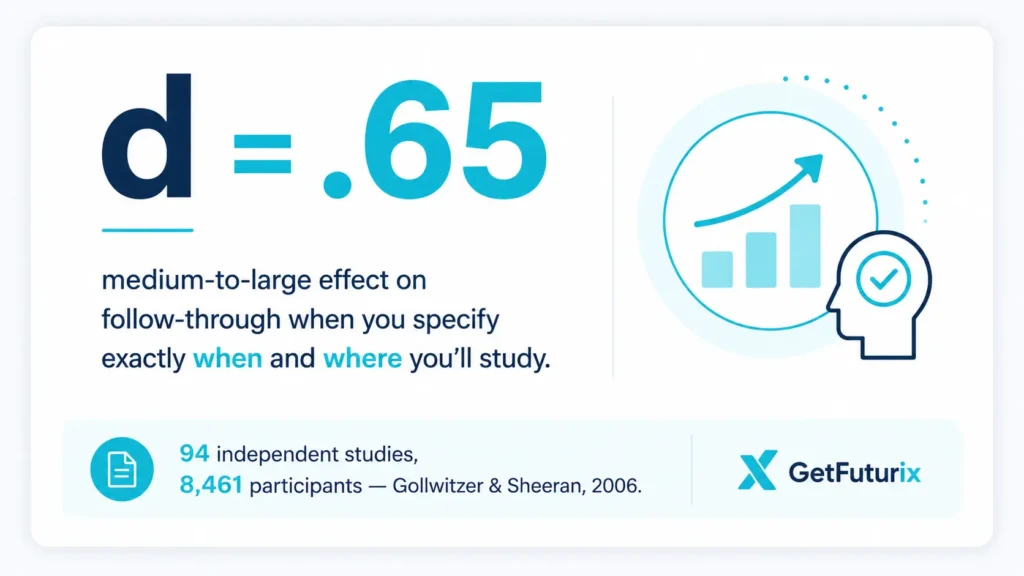
A landmark 2006 meta-analysis by Gollwitzer and Sheeran, covering 94 independent studies and 8,461 participants, found that specifying exactly when and where you’ll do something — not just “I’ll study biology this week” but “I’ll study biology Tuesday at 4pm at the library” — produced a medium-to-large effect (d = .65) on whether people actually followed through. This is the psychological concept known as implementation intentions, and it’s the real mechanism behind why a scheduled block beats a vague to-do item.
An AI study schedule generator works precisely because it automates this exact principle. It doesn’t just tell you what to study. It tells you when, for how long, and often where — turning a vague intention into the specific commitment the research shows actually predicts behaviour.
This pairs with a second, older finding: Hermann Ebbinghaus’s 1885 forgetting curve research, which showed how quickly memory fades without review. A study schedule that only blocks time but ignores review timing solves half the problem. The other half is spacing — which is why the best schedules build in return visits to material, not just a single pass before the exam.
How to Make a Study Schedule With AI: The Free ChatGPT Method
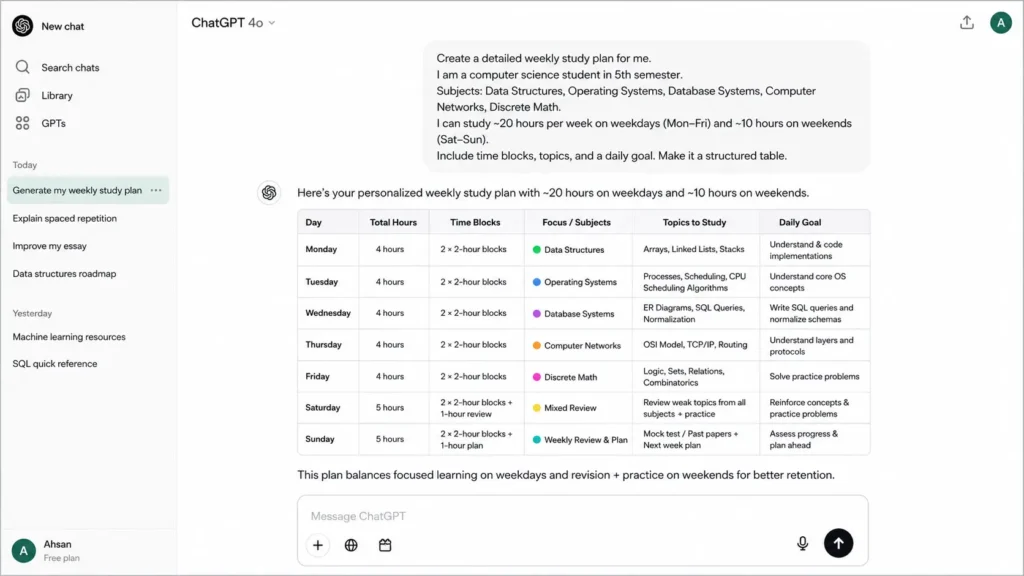
Here’s the genuinely free method, and it takes exactly as long as typing out your actual situation.
Step 1 — List every subject and every deadline that matters. Exams, problem sets, papers — anything with a date attached. Vague inputs produce vague plans, so be specific here.
Step 2 — Rate your comfort level per subject, honestly. A 1-to-5 scale works fine. This single number is what actually determines whether your schedule allocates time correctly — more on why that matters below.
Step 3 — Paste this prompt into ChatGPT:
“I have these subjects with these deadlines: [list subjects and dates]. My comfort level in each (1-5, 5 being strongest) is: [list ratings]. I have [X] hours available to study this week, across these days: [list available days/times]. Build me a detailed weekly study schedule that gives more time to my weakest subjects, includes short breaks, and schedules a brief review session for anything I studied earlier in the week. Format it as a day-by-day table.”
Step 4 — Review the output and adjust anything that doesn’t match your real life. AI doesn’t know if Tuesday nights are actually impossible for you — it only knows what you told it. Treat the first draft as exactly that: a draft.
→ See also: How to Use ChatGPT for Beginners: The Complete Guide
AI Weekly Planner for Students: Structuring the Week Itself
A good AI weekly planner for students does more than fill hours with subject names. It makes specific structural decisions that most people skip when planning by hand.
It works backward from your hardest deadline first, giving the most urgent and most difficult material the earliest, longest blocks — rather than the common mistake of tackling easy subjects first and cramming the hard one at the end. It protects break time deliberately, since a schedule with no breaks gets abandoned by Wednesday regardless of how well-intentioned it looked on Sunday.
It also adapts around your actual constraints — clinical placements, sports practice, a part-time job — rather than assuming every day has identical open hours. A student with class Tuesday and Thursday mornings should see shorter blocks those days and longer ones on genuinely free days, not a flat schedule that ignores their real week.
Spaced Repetition Study Schedule: Planning Beyond This Week
A single week’s plan solves this week’s problem. A spaced repetition study schedule solves the much bigger problem: still remembering the material in six weeks.
The principle is simple even though the science behind it runs deep: review material at increasing intervals — a day later, then three days, then a week, then two weeks — rather than reading it once and hoping it sticks. This is exactly what separates panicked finals-week cramming from a student who walks in already having reviewed each topic four or five times.
When you’re setting up your AI study schedule generator prompt for a longer stretch — a full semester rather than a single week — add a specific instruction: “Include a spaced repetition review for each topic at increasing intervals as the semester progresses, so nothing goes untouched for more than three weeks.” This turns your weekly plan into a system that compounds, rather than a schedule you rebuild from scratch every Sunday.
→ See also: Best AI Flashcard Generator 2026: Study Smarter Not Harder
Comparing AI Study Planner Free Options by Planning Style
Different tools solve slightly different parts of this problem. Here’s the honest breakdown.
| Tool | Best For | Free Tier | Real Limitation |
|---|---|---|---|
| ChatGPT | Fully custom prompts, any format | Yes, generous | You do the calendar entry yourself |
| Notion AI | Planning inside an existing notes system | Limited free responses | Setup takes longer than a pure chat prompt |
| Reclaim.ai | Auto time-blocking around existing calendar events | Free tier available | Generalist — not education-specific |
| Dedicated study planners | All-in-one: schedule + flashcards + quizzes | Varies, often freemium | Advanced features usually need a subscription |
The realistic starting point for most students: the free ChatGPT method above solves the actual planning problem at zero cost. Add a calendar-syncing tool like Reclaim.ai only once you want your study blocks to automatically work around your existing class schedule and commitments without manual copy-pasting.
The One Thing That Breaks Every AI Study Schedule
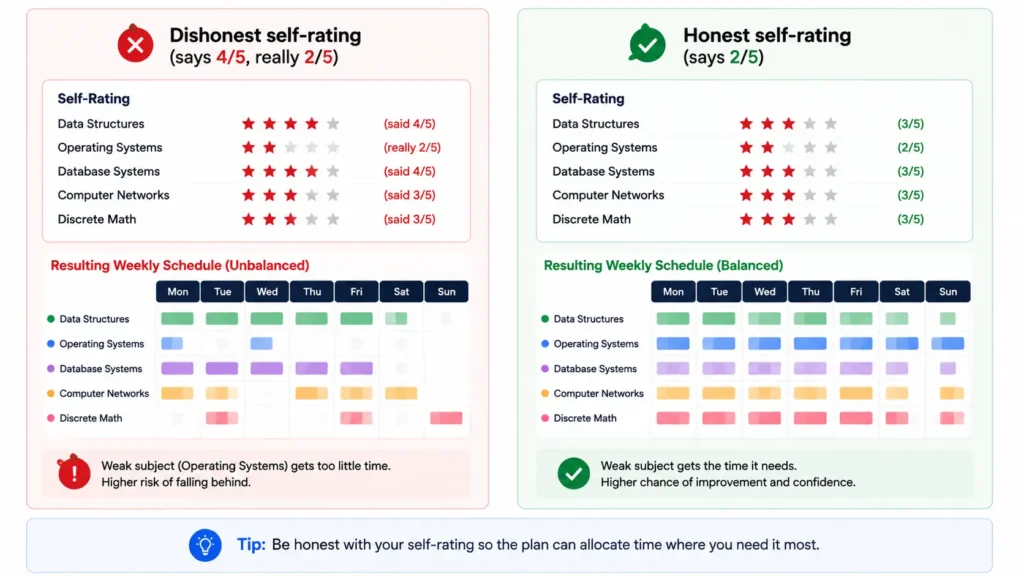
Here’s the failure mode nobody talks about, and it has nothing to do with the AI itself.
If you tell the tool your comfort level in a subject is 4 out of 5 when it’s really a 2, the entire plan optimises for the wrong priority. The schedule will hand your weakest subject less time than it needs, because it was never told the truth about where you actually stand. The plan is only as good as the honesty behind the input.
This applies beyond comfort ratings too. If you know realistically you won’t study past 9pm, say so. If Sunday mornings are sacred and non-negotiable, tell the AI that upfront rather than editing around it later. An honest, slightly unflattering starting point produces a far more useful schedule than an optimistic one that falls apart by Tuesday.
Frequently Asked Questions About AI Study Schedule Generators
Q: How does an AI study schedule generator actually work?
A: It takes your subjects, deadlines, available hours, and comfort level per topic, then builds a structured plan that allocates more time to weaker or more urgent subjects first. An AI study schedule generator works well because it automates implementation intentions — the well-documented psychological principle that specifying exactly when and where you’ll study dramatically increases the odds you’ll actually do it.
Q: Can I really build a study schedule in 60 seconds?
A: Generating the schedule itself takes about that long, once you know your inputs. The actual time investment is being honest and specific about your subjects, deadlines, and real comfort level in each one — that reflection is what makes the 60-second output useful rather than generic. How to make a study schedule with AI properly still requires a few minutes of honest self-assessment before you type anything in.
Q: What’s the best free AI study planner?
A: For most students, ChatGPT is the strongest AI study planner free option because it accepts a fully custom prompt and produces a genuinely tailored plan at zero cost. Notion AI works well if you already keep notes in that system. Reclaim.ai is worth adding once you want your study blocks to sync automatically around your existing calendar.
Q: Does spaced repetition actually improve a study schedule?
A: Yes — this is well-established cognitive science, not a marketing term. A spaced repetition study schedule reviews material at increasing intervals rather than once, which directly counters the natural forgetting curve first documented by Hermann Ebbinghaus in 1885. Building spaced review directly into your weekly plan is the difference between material that sticks and material you’ll have forgotten by the actual exam.
Q: What should I include in a ChatGPT study plan prompt?
A: A strong ChatGPT study plan prompt needs four things: your subjects and their deadlines, an honest comfort rating for each (1-5 works well), your realistically available hours and days, and a specific request for breaks and spaced review to be built in. The more specific and honest the input, the more useful the output — vague prompts produce vague, generic plans.
Q: Why does my AI-generated study schedule not work in practice?
A: The most common cause is inaccurate input, not a flaw in the tool. If your stated comfort levels don’t match reality, or you told the AI you had more free hours than you genuinely do, the schedule optimises around false information. Revisit your AI weekly planner for students setup and be more specific and more honest about your actual constraints — the output will improve immediately.
Sixty Seconds Starts With Being Honest for Five
The generator part really is fast. The part that determines whether it works is entirely on you.
Pull up ChatGPT right now, list your actual subjects and deadlines, rate your comfort level honestly — even if it’s uncomfortable to admit — and paste in the prompt above.
An AI study schedule generator won’t fix a dishonest starting point. But give it five honest minutes of input, and the sixty-second plan that comes back is genuinely worth building your week around.
Want more practical AI study guides? Browse our full library at GetFuturix.com.
Related articles on GetFuturix: