GetFuturix Team
A 40-page chapter due tomorrow morning doesn’t care how busy your week has been.
That’s the exact gap the best AI tools to summarize textbooks were built to close. I’ve spent the past few weeks running the same chapter through six different free tools, comparing what survives the compression and what quietly disappears — formulas, footnotes, the one paragraph your professor always tests on.
Here’s the short version, then the full breakdown.
Quick answer: For textbooks and lecture notes you own or have legal access to, Google’s Gemini Notebook (formerly NotebookLM) gives the most reliable free summaries because it grounds every answer in your uploaded source. Claude and ChatGPT are stronger for pasted text and custom formatting. Scholarcy and NoteGPT are faster for a one-click first pass. Pair any of them with a free flashcard generator, a study schedule tool, and a writing assistant, and you’ve got a complete free study system — not just a summarizer.
Table of Contents
Not All “Free” AI Summarizers Are Built the Same
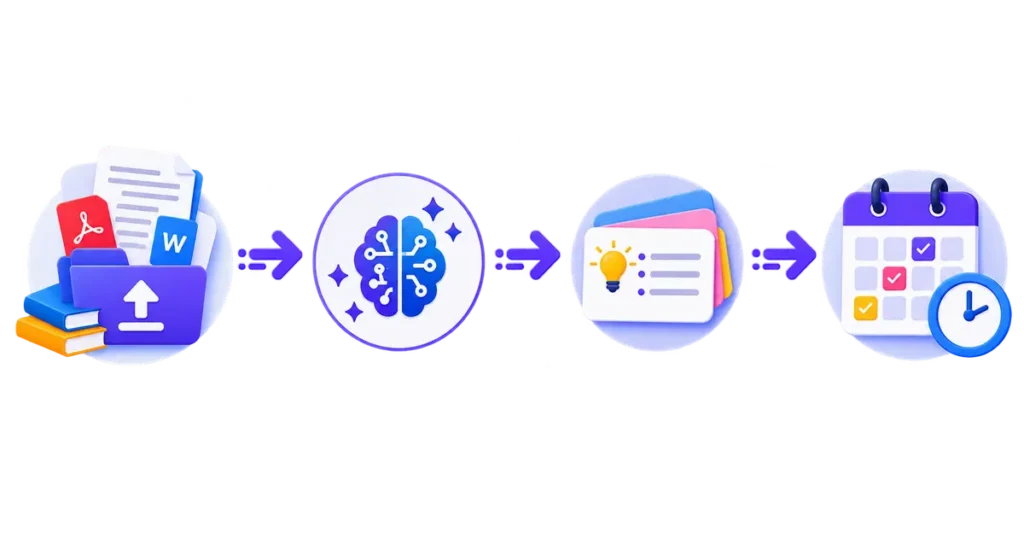
Before you upload anything, it helps to know what kind of tool you’re actually using. There are three different categories, and they solve different problems.
- General chatbots (Claude, ChatGPT, Gemini) — flexible, good at following custom instructions, but not built specifically for long academic PDFs.
- Source-grounded research assistants (Gemini Notebook) — answers are tied directly to what you uploaded, which cuts down on made-up details.
- Purpose-built study apps (Scholarcy, NoteGPT, and similar) — fastest one-click workflow, but often capped hard on the free tier.
I use this simple filter before picking a tool: if the material is long, structured, and something I’ll be tested on, I want source-grounding. If it’s a quick paste-and-summarize job for a discussion post, a general chatbot is faster and good enough.
A quick, honest caveat: a textbook summarizer has a harder job than a plot summarizer. It has to preserve definitions, formulas, and worked examples — not just the gist of an argument. That’s exactly why generic “paste and summarize” tools tend to flatten technical chapters, while dedicated academic tools hold onto structure.
The Best Free AI Tools to Summarize Textbooks in 2026
Gemini Notebook (formerly NotebookLM)
Google quietly renamed NotebookLM to Gemini Notebook in July 2026 — the product didn’t change, but a lot of guides online still use the old name, so don’t be thrown off if you see both. It remains the strongest free option for textbook and lecture-note summarization because everything it generates is grounded in the sources you upload, with citations pointing back to the exact page.
- Best for: chapter-by-chapter summaries, study guides, and audio overviews from your own PDFs, slides, and notes
- Free tier: available to anyone with a Google account, with usage limits that scale up on paid plans
- Standout feature: citations link straight back to the passage they came from, so you can verify a claim in seconds instead of re-reading the whole chapter
I keep one notebook per class, upload the syllabus first, then add readings as the semester goes — the AI’s answers noticeably improve once it has that course context to work from.
Claude and ChatGPT
Both handle pasted text and PDF uploads well on their free tiers, and both are genuinely good at following a detailed summary template if you give them one. Neither is purpose-built for academic workflows, so you won’t get automatic flashcards or citation extraction — you’re doing the structuring yourself through your prompt.
Try this prompt structure, copy-paste ready:
Summarize this chapter using this exact structure:
1. Main argument or thesis (1–2 sentences)
2. Key terms, defined in plain language
3. The 5 most important facts or data points
4. Any formulas or processes, written out step by step
5. Three likely exam questions based on this material- Best for: flexible, custom-formatted summaries and quick back-and-forth questions about confusing sections
- Free tier: both offer usable free access; message limits reset daily
- Limitation: a full 300-page textbook still needs to go in chapter by chapter rather than all at once
Scholarcy
Scholarcy leans into structure over conversation. Instead of a paragraph, you get a flashcard-style breakdown with headings, key findings, and definitions pulled out automatically — which makes it a strong match for research papers and textbook chapters that already have a clear internal structure.
- Best for: research papers, structured academic PDFs, and textbook chapters with heavy technical content
- Free tier: limited number of summaries per month before hitting a paywall
- Trade-off: works best on well-structured documents; less useful on narrative-heavy reading
NoteGPT
NoteGPT is the fastest on-ramp if you just want an overview without setting anything up. Upload or paste, get a summary back, and use it as a starting point rather than a finished study guide.
- Best for: quick orientation before you sit down with the real chapter
- Free tier: usable, but depth and nuance drop off on longer or denser material
- Trade-off: good for previewing, weaker for exam-level detail
Free AI Textbook Summarizer Comparison
| Tool | Best For | Free Tier Reality | Standout Feature |
|---|---|---|---|
| Gemini Notebook | Grounded chapter summaries, study guides | Free with Google account; usage caps apply | Citations link to your exact source page |
| Claude | Dense, technical chapters; custom formats | Free tier, daily message limits | Follows detailed summary templates closely |
| ChatGPT | Quick summaries, follow-up Q&A | Free tier, daily message limits | Flexible for any custom prompt |
| Scholarcy | Research papers, structured PDFs | Capped monthly summaries free | Automatic flashcard-style breakdown |
| NoteGPT | Fast first-pass overview | Free with usage limits | Low-friction, no setup |
Free-tier limits shift often across every tool in this table — confirm current caps on the provider’s pricing page before you build a workflow around one.
Best AI Flashcard Generator 2026: Turning Summaries Into Active Recall
A summary tells you what’s important. It doesn’t test whether you actually know it. That’s where flashcards — specifically AI-generated ones paired with spaced repetition — come in.
The strongest free flashcard tools right now combine two things: AI generation from your notes or PDFs, and a spaced-repetition scheduler (often FSRS) that decides when you should see each card again.
- Quizlet — massive library of pre-made decks plus AI generation from your own material; best if you also want access to community decks for common textbooks
- Knowt — positions itself as a free Quizlet alternative with notes, quizzes, and flashcards in one place
- Quizgecko — turns PDFs, notes, and even videos into flashcards, with spaced repetition and Anki export built in
- Anki — free, open-source, and the deepest customization available, but you’re creating most cards manually unless you add AI plugins
- StudyGlen — combines OCR, AI generation, and FSRS spaced repetition specifically around PDF-to-flashcard workflows
My honest take: if you already have a Gemini Notebook or Claude summary, don’t start from scratch in a flashcard tool. Paste your summary in and ask it to generate cards from that — you’ll get tighter, more exam-relevant cards than generating straight from the raw chapter.
→ See also: Best AI Flashcard Generator 2026: Study Smarter Not Harder
AI Study Schedule Generator (Free): Turning Chapters Into a Plan You’ll Actually Keep
A study schedule only works if it starts from a real deadline and gets realistic about how much time you actually have. The better free AI study schedule generators all follow the same logic: work backward from your exam date, rank topics by difficulty and urgency, and protect the hardest material for your earliest, longest blocks.
When you’re picking a study schedule generator, look for these three things:
- Deadline-first logic — it should ask for your exam date before anything else
- Difficulty weighting — harder subjects should get more time, not equal time
- Built-in review sessions — a good plan bakes in return trips to earlier material, not just forward progress
If you’d rather skip a dedicated app, you can get the same result from a general chatbot with a specific prompt:
Create a 3-week study schedule for [subjects]. My exam is on [date].
I have [X] hours available per day. Rank subjects by difficulty,
front-load the hardest material, and include a review session for
each subject in the final 3 days before the exam.
→ See also: AI Study Schedule Generator: Plan Your Week in 60 Sec
Free AI Writing Assistant for Students: From Summary to Original Work
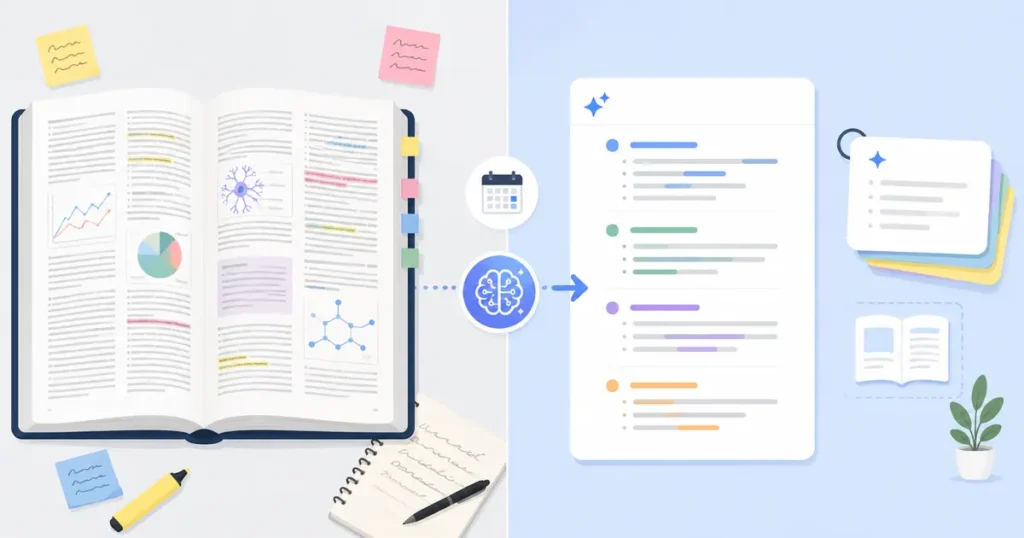
Summaries and flashcards get you understanding. At some point you still have to produce your own writing — an essay, a discussion post, a report — and that’s a different job for AI than summarization.
Free AI writing assistants for students split into two real categories, and mixing them up wastes time:
- Generalist tools (Grammarly, QuillBot) — strong at grammar, clarity, tone, and paraphrasing; not built for academic conventions specifically
- Academic-specialist tools — built around scholarly tone, citation handling, and domain terminology that generalist tools tend to flatten
A free AI writing assistant is genuinely useful for outlining, tightening a rough draft, and catching grammar issues before submission. It’s a poor fit for anything you’re expected to fully author yourself — check your school or workplace’s policy before leaning on AI for graded or client-facing writing, since “assist” and “write for me” are treated very differently almost everywhere.
If a professor or manager would object to a colleague reading it over your shoulder before you turned it in, they’ll likely object to AI doing the same thing. When in doubt, ask first.
→ See also: How to Summarize Documents With AI in Under 2 Minutes
The Free Study Stack: One Weekly Workflow That Uses All Four Tools
This is the part most guides skip: these four tool categories aren’t four separate decisions. They’re one workflow, and running them in sequence is genuinely faster than treating each as its own errand.
Here’s the weekly stack I actually use:
- Sunday — Schedule. Feed your syllabus and exam dates into a study schedule generator (or the prompt above) to lock in which chapters get covered which days.
- Before each session — Summarize. Upload the assigned chapter or lecture notes to Gemini Notebook or Claude using the structured prompt from earlier in this guide.
- Right after — Flashcards. Paste that summary into a flashcard tool and generate cards from it, not the raw chapter — you’ll get tighter, more testable cards.
- End of week — Write. Use a free AI writing assistant to turn your notes into a short recap, discussion post, or practice essay, which doubles as retrieval practice.
That last step matters more than it sounds. Testing yourself on material — including by writing about it from memory — is one of the most well-supported ways to make it stick, according to research summarized by the American Psychological Association’s study skills resource for students. An AI summary is a preview and review layer around that process, not a replacement for it.
For Professionals and Small Business Owners: Same Tools, Different Stakes
Nearly every guide to these tools is written exclusively for students. That’s a gap, because the exact same tool stack works for onboarding manuals, compliance documents, and training decks — with a few different priorities.
- Summarizing: Gemini Notebook and Claude both work well on dense policy PDFs and training manuals, the same way they do on textbook chapters. Google’s own data on the tool notes usage spanning business owners creating interactive onboarding materials, not just students — this isn’t a stretch use case, it’s an established one.
- “Flashcards” become quiz decks: the same generators that build exam flashcards can build onboarding quizzes to check new-hire comprehension.
- “Study schedule” becomes a rollout plan: the same backward-from-deadline logic works for phasing a policy rollout or certification deadline across a team.
- “Writing assistant” becomes documentation help: turning a dense internal doc into a clear one-page summary for stakeholders who don’t have time to read the original.
One difference that matters here: data sensitivity. A public-domain textbook chapter carries essentially no risk if you paste it into a free tool. A proprietary contract, an unreleased product spec, or client data is a different situation entirely — check your tool’s data-retention and training policy, and your own company’s data-handling rules, before uploading anything confidential to a free consumer AI tool.
Where AI Summaries Get It Wrong (and How to Catch It)
Every tool in this guide can misfire, and the honest way to use any of them is to build in a quick verification habit rather than trusting the output blind.
- Check numbers and specific claims against the source. AI tools are more likely to misstate a statistic or a date than to misstate the general gist — verify anything you’d actually cite.
- Watch for flattened nuance. A summary can accidentally erase a disagreement, exception, or edge case that the original text spent a full paragraph on.
- Prefer source-grounded tools for anything graded. A tool tied to your actual upload (like Gemini Notebook) is meaningfully less likely to invent a detail than a general chatbot answering from its own training.
- Treat the summary as a map, not the territory. If a summary replaces the reading entirely instead of guiding it, understanding tends to be shallower than the polished output suggests.
This isn’t a reason to avoid these tools — it’s the difference between using them well and using them carelessly.
FAQs of AI tools to summarize textbooks
Are AI tools to summarize textbooks actually free?
Most of the tools in this guide have a genuinely usable free tier, but nearly all cap something — daily queries, monthly summaries, or word count per input. Free access to a summarizer is easy; free access to unlimited summarization of a full textbook usually isn’t.
What’s the best free AI tool to summarize textbooks specifically, not just articles?
Gemini Notebook (formerly NotebookLM) is the strongest free option for full textbooks and lecture notes because it grounds its answers in your uploaded source and cites the exact page, which matters most when the material is long and you need to trust the detail.
Can ChatGPT summarize an entire textbook?
Not in one pass. ChatGPT and similar chatbots handle pasted text or a chapter at a time well, but they aren’t built to ingest and index a full 300-page PDF the way a dedicated document tool is — you’ll get better results uploading chapter by chapter.
Is it better to use one all-in-one tool or separate tools for summaries, flashcards, and scheduling?
Separate tools, used in sequence, generally beat an all-in-one app on quality — a dedicated flashcard tool with spaced repetition will out-perform a generic app’s built-in flashcard feature. The workflow in this guide is built around that idea.
Is using AI to summarize textbooks considered cheating?
Using AI to summarize your own assigned reading for personal study is standard practice and not typically restricted. If you’re asked to submit notes, a summary, or an assignment that was AI-generated as your own original work, check your school or workplace’s specific policy first — that’s a different situation.
Do AI flashcard generators work with handwritten notes?
Several tools in this guide, including Quizlet’s generator and Quizgecko, accept photos of handwritten or printed notes and extract text via OCR before generating cards — quality depends heavily on handwriting legibility and image clarity.
What free AI study schedule generator should I use if I already use Google Calendar?
Look for a tool that syncs directly with Google Calendar rather than producing a static plan you have to re-enter — that keeps your study blocks visible alongside classes, work, and everything else competing for your time.
Try these free tools

GetFuturix Team
Sharing practical guides on AI, tools and digital growth.