Running a restaurant is one of the few jobs where you can be simultaneously understaffed, over-budget, and reading a 1-star Google review — all before 9am.
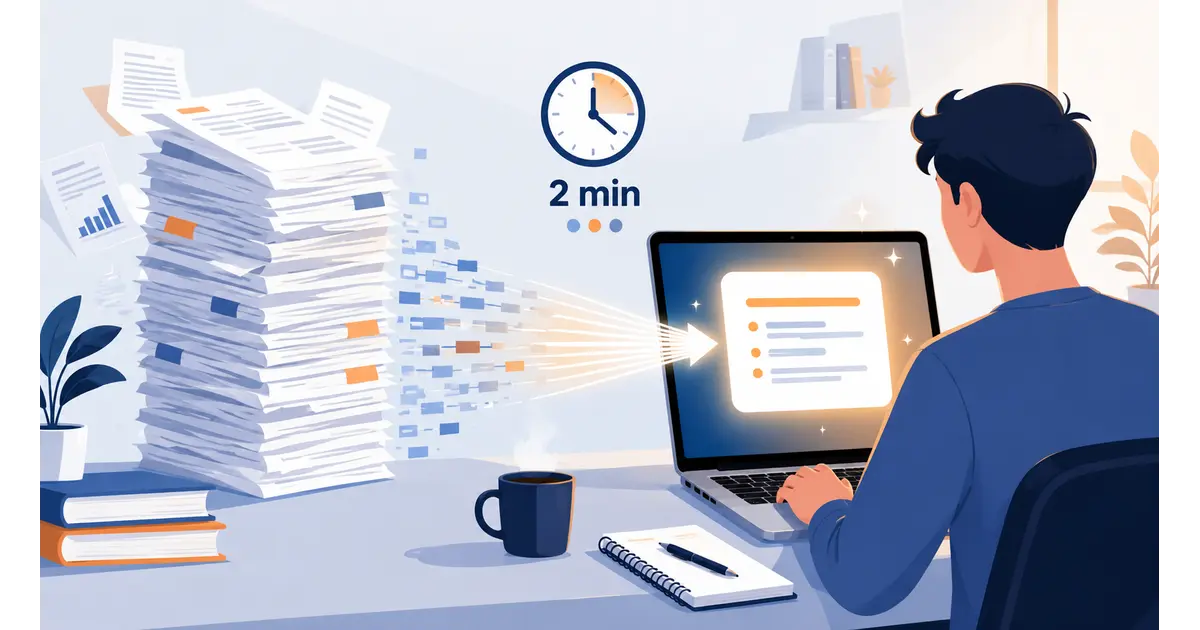
We have talked to dozens of independent restaurant owners about where their time actually goes. The answer is almost always the same: scheduling staff, managing reviews, writing social captions, answering phones, and chasing inventory. None of those tasks require a chef. But they are eating 8 to 15 hours of your week.
That is the exact gap that AI tools for restaurant owners now fill. Not the sci-fi version — the practical kind. Tools you can open on your laptop tonight, start using tomorrow morning, and actually feel the difference by the weekend.
Here is what works, what is worth paying for, and what you can skip.
Table of Contents
Where Restaurant Owners Actually Lose Time
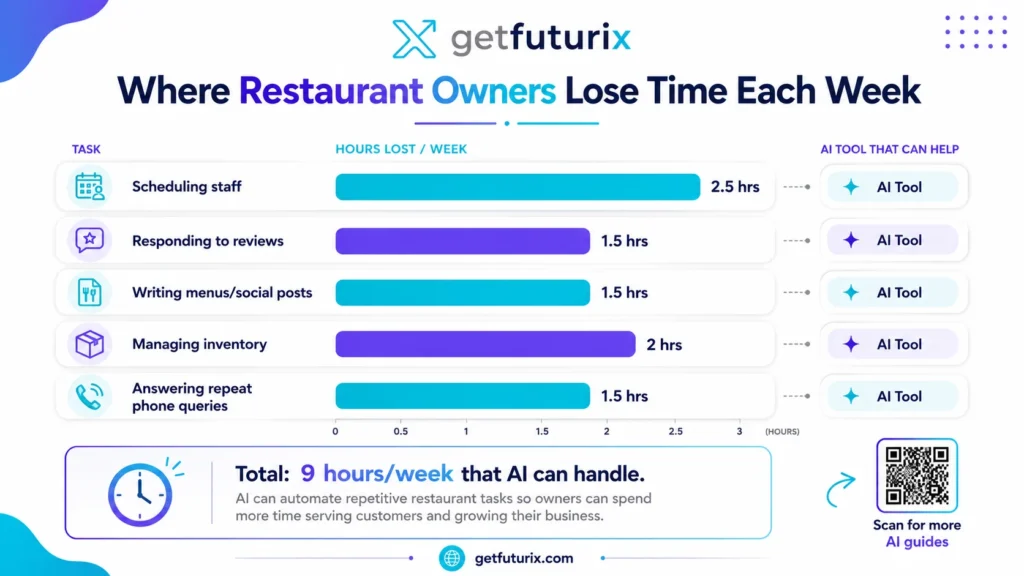
Before recommending any AI tools for restaurants, we need to be honest about where the time goes. Because most articles skip straight to the tool list — and you end up with software you never actually open.
Here is the real breakdown, based on industry research and conversations with independent operators:
- Staff scheduling and shift changes — 2 to 2.5 hours weekly. Every swap, sick call, and last-minute cover request that lands in your WhatsApp at 11pm.
- Responding to Google and Yelp reviews — 1 to 1.5 hours. The 1-star reviews you feel you have to respond to, and the 5-stars you keep meaning to acknowledge.
- Writing menu copy, daily specials, and social posts — 1.5 hours. Staring at a blank Instagram caption for a dish photo taken on your phone.
- Inventory counts and supplier follow-ups — 2 hours. Manual stock counts that are out of date the moment you finish them.
- Answering repeat phone queries — 1 to 2 hours. “Do you have parking?” “Are you open on bank holidays?” “Can I book a table for 12?”
That is 8 to 9 hours of work that doesn’t require you.
The five categories above are where those hours come from.
Industry research found that AI tools for restaurant management save owners and managers 8 to 15 hours per week across administrative tasks.
The goal is not to automate your restaurant. It is to take the repetitive stuff off your plate so you can spend time on the things only you can do.
The Best AI Tools for Restaurant Owners in 2026
These are the best AI tools for restaurants we have actually seen work for independent and small-chain operators. Not enterprise software built for McDonald’s. The ones a 40-seat restaurant can start using this week.
| AI Tool | What It Does | Free Plan? | Best For | Monthly Cost |
|---|---|---|---|---|
| ChatGPT | Reviews, menus, social copy, staff comms | Yes | Everything text-based | Free / $20 Plus |
| 7shifts | AI staff scheduling and labour forecasting | Yes (1 location) | Shift management, no-shows | Free / from $29.99 |
| MarketMan | Inventory AI, food cost tracking, ordering | No | Back-of-house cost control | From $127/mo |
| Zapier | Automation between your apps | Yes (100 tasks/mo) | Connecting tools, review alerts | Free / from $19.99 |
| Canva AI | Menu design, social graphics, daily specials | Yes | Front-of-house visual content | Free / $14.99/mo |
A few things worth saying upfront. MarketMan is the only tool on this list with no meaningful free option — it is powerful but priced for restaurants that are already tracking food costs seriously. Start with ChatGPT and 7shifts first. Both are free, both deliver value within 24 hours.
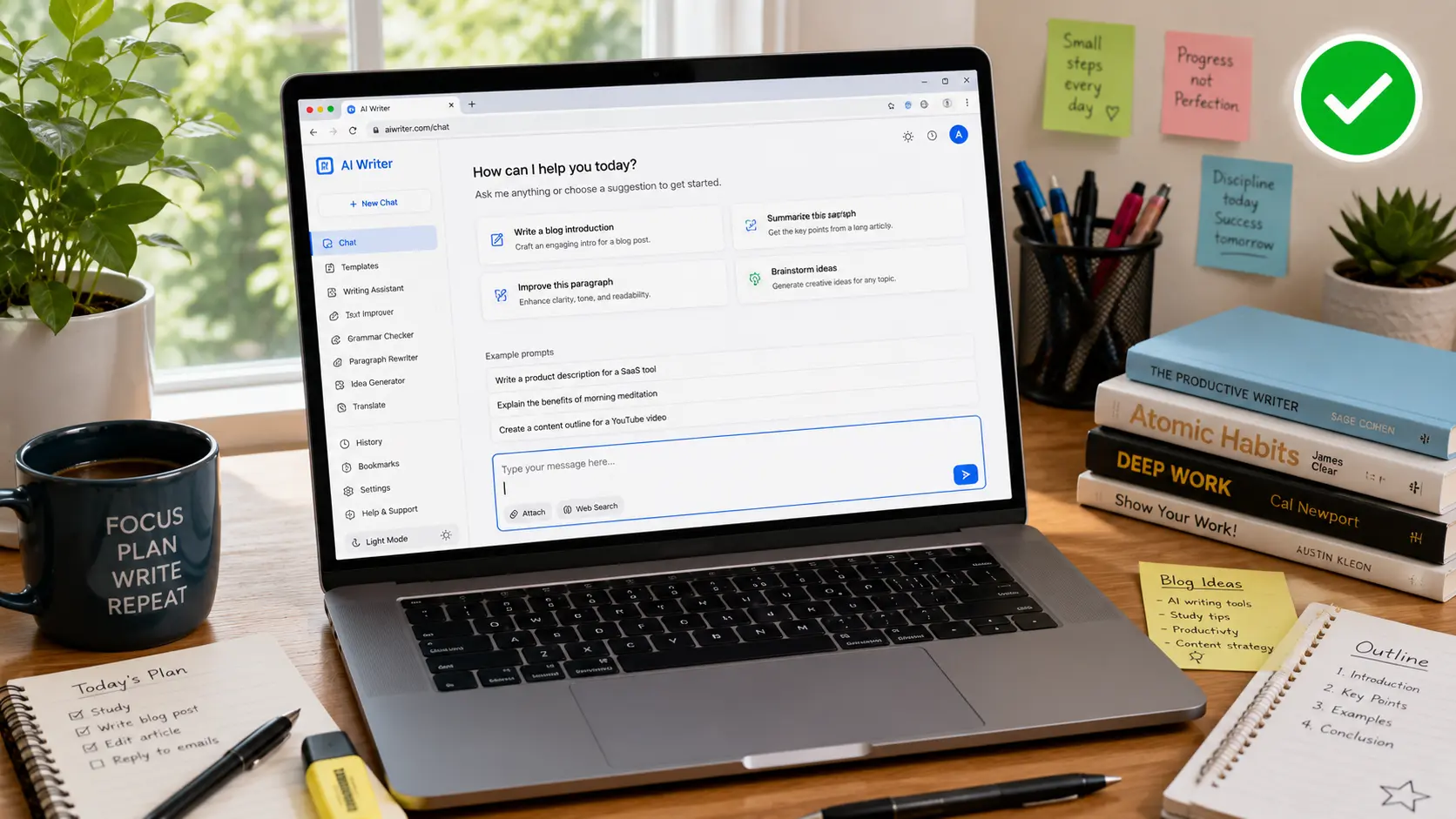
ChatGPT for Restaurant Owners: The Free Tool That Does the Most
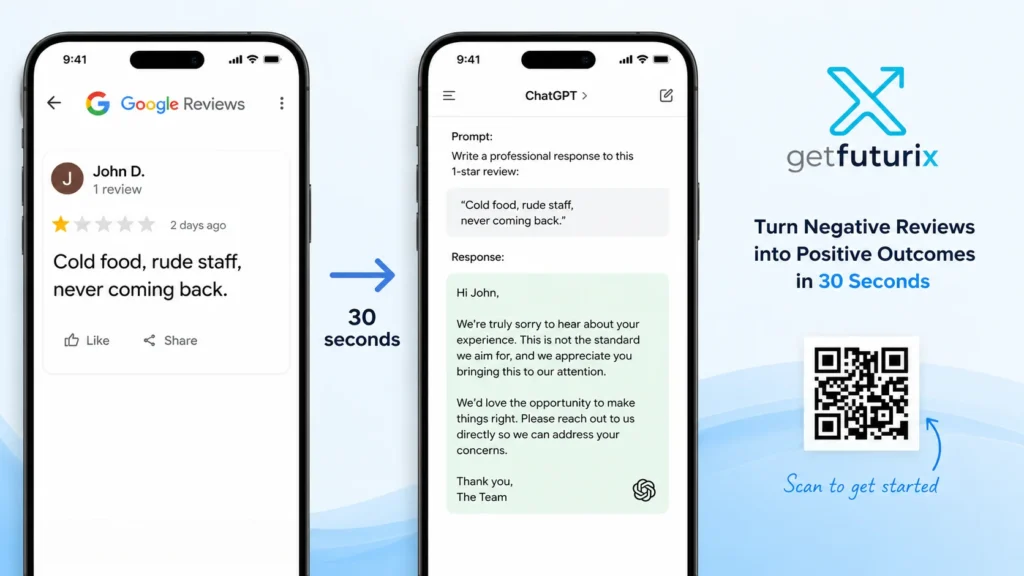
ChatGPT is the single most useful AI tool for restaurant owners who want to save time without spending money. Full stop. At zero cost, it handles:
Review responses — Paste a negative review. Ask ChatGPT to “write a professional, empathetic response from the restaurant owner that acknowledges the issue, apologises without being defensive, and invites the customer back.” It takes 30 seconds. The output is better than what most people write after 10 minutes of stressing.
Menu descriptions and daily specials — Type your dish name, main ingredients, and cooking method. Ask it to “write a 30-word menu description that is sensory and specific, no clichés.” Works for boards, Instagram, your website — everywhere.
Staff communication templates — Need to write a new hygiene policy? A training checklist for front-of-house? An absence policy that doesn’t sound copy-pasted from a law firm? ChatGPT drafts all of it.
Social media captions — “Write 5 Instagram captions for a wood-fired pizza restaurant launching a new truffle mushroom pizza on Friday. Tone: warm, local, no emojis.” That prompt alone saves 45 minutes a week.
At $20/month, the Plus plan is widely described by restaurant operators as the single most impactful AI investment they have made — and the free tier gets you started immediately.
→ See also: How to Use ChatGPT for Beginners
Here is the ChatGPT prompt template we use most often for restaurant review responses:
“You are the owner of [Restaurant Name], a [cuisine type] restaurant in [city]. A customer left this review: [paste review]. Write a professional, warm, and genuine response. Acknowledge their experience specifically, do not be defensive, and end with an open invitation to return. Under 100 words.”
Save that as a note on your phone. You will use it at least twice a week.
Restaurant Scheduling AI: End the Sunday Night Rota
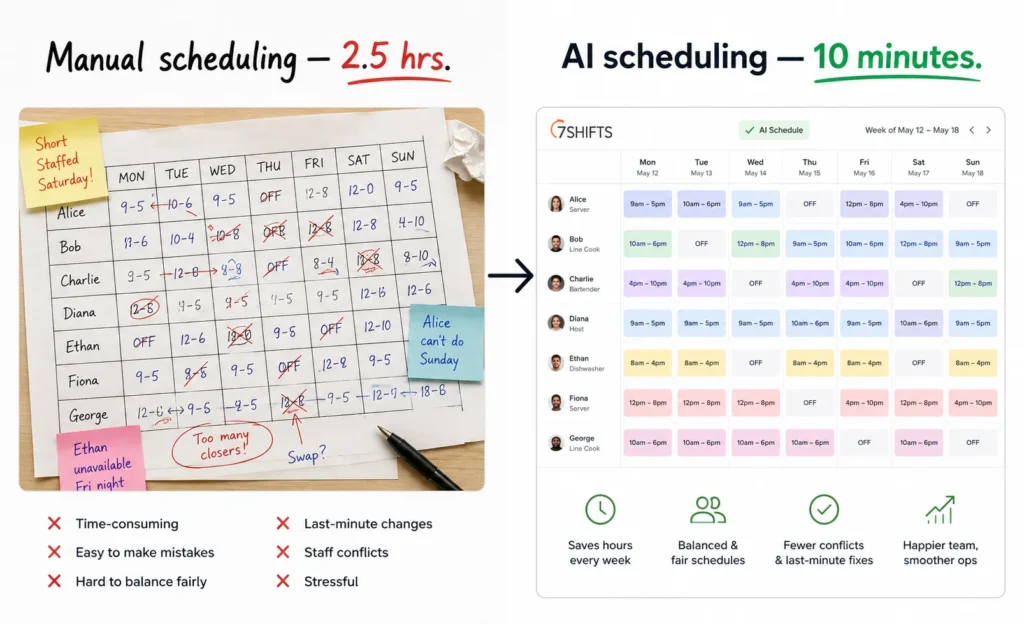
If scheduling kills your Sunday evenings, restaurant scheduling AI is the fastest fix on this list.
7shifts is the tool most independent restaurants start with. The free plan covers one location and lets the AI auto-generate a schedule based on your historical covers, labour rules, and staff availability. It also sends the rota directly to staff by text or app — no more WhatsApp group chaos.
The numbers back it up. AI-assisted scheduling reduces labour overspend by 8–12% without degrading service. And restaurants using predictive no-show scoring see 15–30% improvement in table yield on high-demand nights.
Think about what that means practically. If your restaurant turns 80 covers on a Friday and you are currently losing 10 to 12 of those to no-shows, that is £250 to £400 in revenue disappearing every week — from a problem that AI scheduling tools actively reduce.
The free tier of 7shifts handles most of what a small restaurant needs. You only need to upgrade when you hit multiple locations or need advanced labour cost forecasting. Start free, stay free until the volume justifies otherwise.
AI for Inventory and Food Cost Control
Restaurants operate on 3 to 9% net profit margins. That is not a typo. Which means a 2% error in food cost can wipe out everything you made on a Thursday service.
Manual inventory counts are the root of this problem. You count on Monday. By Wednesday it is already wrong.
Up to 20% of food a commercial kitchen buys gets thrown away — and most kitchens have no real picture of where that waste is coming from.
MarketMan fixes this with AI-powered inventory tracking. It analyses your historical usage, sales patterns, and supplier pricing to recommend what to order and when. One restaurant group using it reduced their cost of goods sold by 3% across all locations — which on a £500,000 annual food spend is £15,000 back in your pocket.
The honest caveat: MarketMan starts at around $127 per month, which is not pocket change for a small operation. If you are not yet tracking food costs digitally at all, start with ChatGPT’s data analysis feature first. Upload your weekly POS export and ask it to identify your top 5 highest-waste categories. It is not as precise as MarketMan, but it costs nothing and gives you a starting point.
For restaurant automation between tools, Zapier handles the glue. A new Google review arrives → Zapier sends it to your ChatGPT prompt → response draft lands in your email. Set it up once, forget about it. The free plan allows 100 automated tasks per month, which covers most small restaurants entirely.
What AI Still Cannot Do in a Restaurant
We want to be direct here, because most AI tools for restaurants content skips this part.
AI cannot replace your floor manager’s judgment during a full house. It cannot read the table that is about to walk out, handle a kitchen meltdown on a Saturday at 8pm, or decide whether to comp a table after a long delay. That is still you.
AI-generated menu descriptions need a human check. ChatGPT once described a vegan dish as containing “rich butter notes.” It does not know your menu. It knows your prompt. Always verify before publishing.
Review responses need your voice, not just AI’s draft. The draft ChatGPT writes is a starting point. Read it. Adjust one or two lines so it sounds like you, not a hotel chain’s PR department. Authenticity is what actually wins a customer back.
The tools above save hours on the mechanical stuff. The instinct, the hospitality, the decision-making under pressure — that part still belongs to the people in your building.
How to Pick Which AI Tool to Start With
Here is the framework we give every restaurant owner who asks where to begin with AI for restaurant management.
Step 1 — Identify your biggest weekly time drain.
Not the most interesting problem. The most exhausting one. The thing that eats your Sundays or keeps you up Monday morning.
Step 2 — Match it to one tool
Reviews draining you? Start with ChatGPT. Free, 10 minutes to set up, feels different by day three. Scheduling chaos? Download 7shifts tonight. Bleeding on food costs? That is a MarketMan conversation once you have baseline data.
Step 3 — Use it daily for two weeks before adding another
The mistake most restaurant owners make is signing up for four AI tools for restaurants at once, using none of them consistently, and concluding that “AI doesn’t work.” One tool, used every day, is worth ten tools opened twice.
Step 4 — Measure one thing.
Hours saved is hard to track. Pick something specific: “Number of reviews I responded to this week” or “Time taken to build this week’s rota.” Seeing a concrete change in that number is what makes you stick with it.
Step 5 — Add the next tool only when the first is a habit. Then repeat.
That is it. No complicated tech stack. No consultant. Just one problem, one tool, 14 days.
Frequently Asked Questions About AI Tools for Restaurant Owners
Q: Are AI tools for restaurant owners expensive?
A: Most of the best AI tools for restaurant owners start free. ChatGPT’s free tier, 7shifts’ free single-location plan, Zapier’s free automation tier, and Canva AI’s free plan collectively cover the biggest time drains without spending anything. You only need to pay when you hit usage limits or need features designed for multi-location operations. Start free, upgrade when the ROI is obvious.
Q: Do I need technical skills to use AI tools for restaurants?
A: No. The AI tools for restaurants in this guide all require the same skill: typing a question or instruction in plain English. ChatGPT, 7shifts, and Canva AI are all designed for non-technical users. If you can write a WhatsApp message, you can use these tools. The learning curve on all of them is measured in hours, not days.
Q: Can ChatGPT actually help with a restaurant business?
A: Yes — and it is probably the most versatile free AI tool for restaurant owners available right now. ChatGPT for restaurant owners covers review responses, menu copy, daily specials, social media captions, staff policy documents, training materials, and email marketing. The free plan handles all of it. The only limit is the quality of the prompt you give it, which is why we shared the review response template above.
Q: How much time can AI tools actually save a restaurant owner?
A: Industry research from 2026 puts the figure at 8 to 15 hours per week for owners and managers who adopt AI for restaurant management consistently. The biggest savings come from scheduling (2+ hours), review management (1 to 1.5 hours), and content creation for menus and social media (1.5+ hours). Most restaurant owners feel the difference within the first week.
Q: Is my customer data safe if I use AI tools?
A: For tools like ChatGPT — do not paste individual customer names, card details, or private booking information. Use anonymised descriptions (“a customer who booked a table for four last Saturday”) rather than specific personal data. For purpose-built restaurant automation tools like 7shifts and MarketMan, both are GDPR-compliant and designed for hospitality data environments. Read their privacy policies before connecting your POS data.
One Tool. This Week. That Is the Whole Plan.
79% of US restaurant operators are already using AI in some part of their operations.
That number was 40% two years ago. The gap between operators who have adopted these tools and those who haven’t is only going to widen. You do not need to overhaul your restaurant. You need to open ChatGPT tonight, paste in your worst recent review, and see what it drafts. That is it. One task, five minutes, immediate signal.
The AI tools for restaurant owners in this guide are not magic. They are just better ways to do things you are already doing manually, slowly, and expensively. Pick one problem. Pick one tool. Start tonight.
Questions about a specific AI tool for your restaurant? Browse our full library of practical AI guides at GetFuturix.com.
Related articles on GetFuturix: