I run Pinterest for three small e-commerce brands, and every single one of them pulls in more free, evergreen traffic from Pinterest than from Instagram and Facebook combined. The shift didn’t come from a bigger ad budget. It came from learning which AI tools for Pinterest marketing actually save time instead of just adding another dashboard to check.
If you’re a beginner, a solo creator, or a small business owner short on hours, this guide is built for you. I’ll walk through the AI Pinterest tools worth using in 2026, the ones Pinterest built directly into its own platform, and a simple system for turning pins into free traffic that keeps compounding long after you hit publish.
Table of Contents
Why Pinterest Is Still One of the Best Free-Traffic Engines in 2026
Pinterest isn’t a social network chasing likes. It’s a visual search engine, and that distinction matters more now than ever.
A pin you publish today can still be surfacing traffic a year from now. That’s why Pinterest remains one of the few platforms where genuine organic reach is still achievable for small, unfunded accounts.
Here’s what makes 2026 different:
- Pinterest crossed $1 billion in quarterly ad revenue and 631 million monthly users in early 2026, with roughly 30% of that ad revenue now running through its own AI ad suite.
- The algorithm reads images semantically now, not just the text wrapped around them.
- Search and shopping have merged, so a well-optimized pin can rank, get saved, and drive a sale without a single dollar spent on ads.
None of that means paid AI ads replaced organic reach. It means Pinterest is investing heavily in AI on both sides of the platform, and creators who understand both sides win.
How Pinterest’s AI Algorithm Actually Works Now
Pinterest’s 2026 algorithm evaluates semantic relevance and visual signals instead of rewarding keyword repetition. That’s a real shift from the “stuff your keyword five times” advice that used to work.
In practice, that means:
- Hashtags carry almost no weight. Pinterest’s own search bar autocomplete and Trends tool matter far more for keyword research than any hashtag strategy.
- Images get read, not just titles. A pin that visually communicates its topic before anyone reads a word tends to outperform text-heavy graphics.
- Niche specificity beats broad terms. “Coastal farmhouse decor” now outperforms “home design” because Pinterest can match narrower intent more precisely.
- Descriptions need to sound like natural answers, not keyword lists, because the algorithm is matching intent, not counting string repeats.
My rule of thumb: if a pin description reads naturally out loud, it’s probably doing what Pinterest’s AI wants. If it reads like a keyword dump, it’s fighting the algorithm instead of working with it.
How Much Free Traffic Should You Expect, and How Fast?
Organic social results typically take three to six months to show meaningful traction, and Pinterest isn’t an exception, even though it moves faster than Instagram or TikTok for evergreen content.
Here’s a realistic timeline based on what I’ve watched play out across multiple accounts:
- Weeks 1–4: Impressions climb as Pinterest tests your pins with small audience segments, but clicks stay modest.
- Months 2–3: Your best-performing pins start earning broader Smart Feed distribution, and repins begin compounding on their own.
- Months 4–6: Evergreen pins from month one are often still driving daily traffic, while newer pins layer on top of them.
AI tools speed up the content production side of this timeline. They don’t skip Pinterest’s trust-building period, and any tool promising instant viral traffic is overselling what the algorithm actually allows.
Pinterest’s Own AI Tools: What’s Actually Built Into the Platform
Most roundups of AI tools for Pinterest marketing skip this part entirely, and it’s the one most likely to change your results. Pinterest spent 2026 building out its own AI stack rather than leaving everything to third-party apps.
As of mid-2026, Pinterest’s native AI tools include:
- Pinterest Performance+ — a free, native AI ad suite that automates targeting, bidding, and creative testing. Pinterest reports a 24% higher conversion lift and an 80% A/B test win rate versus manually built campaigns, though it performs best once you’re spending meaningfully each month.
- Business Assistant — a visual AI advisor for advertisers that surfaces trend spikes (like a 42% jump in a search term) and recommends top-performing pins to promote around them, now also available on mobile.
- Pinterest MCP (Model Context Protocol) — AI-native infrastructure connecting Pinterest to third-party copilots and agentic tools, announced at Cannes Lions 2026.
- Ask Pinterest — a limited-access conversational shopping app Pinterest is testing for the next wave of AI-driven discovery.
The takeaway: before you subscribe to a third-party tool, check what Pinterest already gives you for free. Performance+ alone replaces a lot of what paid ad-optimization tools used to charge for.
The Best AI Tools for Pinterest Marketing in 2026
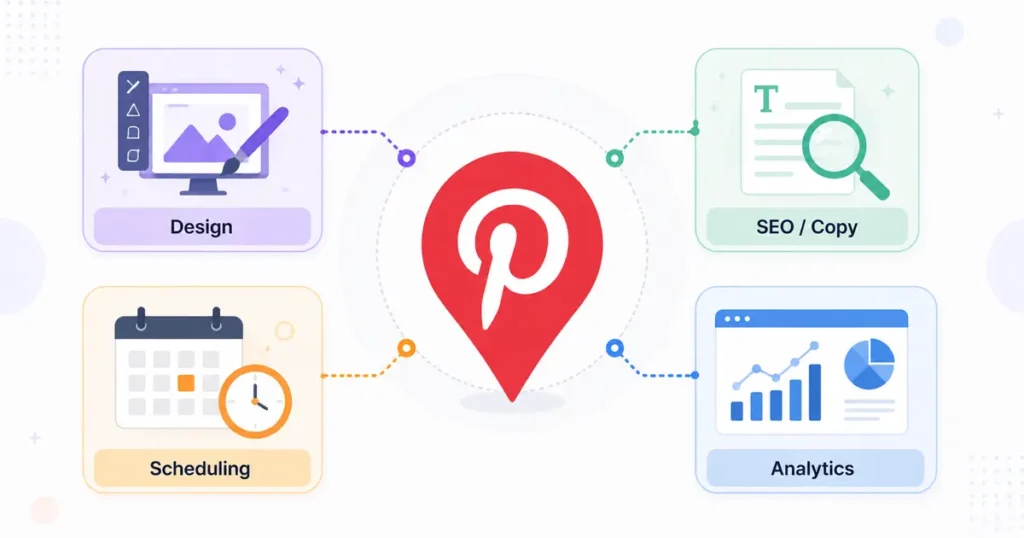
I’m breaking these down by the job they actually do, because most “best AI tools for Pinterest” lists mix design tools with schedulers with ad platforms, which makes it hard to know what you actually need.
AI Tools for Pin Design
You don’t need design skills to make pins that look professional anymore.
- Canva Magic Studio is the easiest starting point for beginners. Magic Design and Magic Resize turn one blog post or product photo into multiple pin-ready sizes, and built-in background removal handles the fiddly parts.
- Ideogram specializes in AI-generated images with accurate text rendering, which matters if your pin style relies on bold headline text baked into the graphic.
My take: start with Canva. It’s free, it’s forgiving, and it teaches you what a high-performing pin layout looks like before you invest in anything more specialized.
→ See also: Free AI Headshot Generator 2026: No-Pay Guide
AI Tools for Video Pins
Video pins are growing fast in 2026, and Pinterest’s algorithm increasingly favors them in search results, not just static images.
- AI video tools can turn a single blog post or product demo into a short, native-feeling video pin in minutes, no filming required.
- Keep video pins under 15 seconds where possible. Longer clips tend to work better as brand awareness content than as a traffic driver.
- Add captions automatically. Most people browse Pinterest with sound off, so an AI captioning step isn’t optional if you want completion rates that help you rank.
AI Tools for Pinterest SEO and Pin Copy
Writing dozens of keyword-rich titles and descriptions by hand is where most people burn out.
- Pinalysis uses AI to surface the exact “annotations,” the keywords Pinterest’s own algorithm assigns to successful pins, plus a profile analyzer that reverse-engineers what’s working for competitors.
- Blog-to-pin automation tools (like PinsMachine) read your published article and generate SEO titles, descriptions, and even multi-language copy automatically from a single URL.
AI Tools for Scheduling and Automation
- Tailwind remains the deepest Pinterest-only scheduler, with SmartSchedule for optimal timing, SmartLoop for recycling evergreen pins, and a credit-based Ghostwriter AI for copy.
- Circleboom adds an AI hashtag generator, RSS-to-Pinterest automation, and bulk uploading, useful if you’re repurposing an existing blog.
- PostEverywhere batches a month of pins in one sitting and cross-posts to Instagram and Facebook, though it’s a scheduler rather than a design tool, so pair it with Canva or Ideogram.
AI Tools for Competitor and Keyword Research
Understanding what’s already working in your niche is faster with AI than with manual scrolling.
- Pinalysis’s Profile Analyzer breaks down any public competitor account in seconds, flagging patterns you can adapt.
- Pinterest’s own Trends tool, combined with search-bar autocomplete, is still the most reliable free source of real keyword demand.
Here’s how the main players stack up:
| Tool | Best For | Free Option | Starting Price |
|---|---|---|---|
| Canva Magic Studio | Pin design & resizing | Yes | Paid tiers add more AI credits |
| Ideogram | AI images with text overlay | Limited free | From $7/month |
| Tailwind | Scheduling + AI copy | Limited free | Credit-based plans |
| Circleboom | Bulk pins + hashtags | Limited free | Paid plans vary |
| PostEverywhere | Batch scheduling | 7-day free trial | From $29/month |
| PinsMachine | Blog-to-pin generator | 10 free lifetime pins | From $15/month |
| Pinterest Performance+ | Native ad optimization | Free (native) | Ad spend only |
Should You Use AI-Generated Images on Pinterest? The “AI Modified” Label, Explained
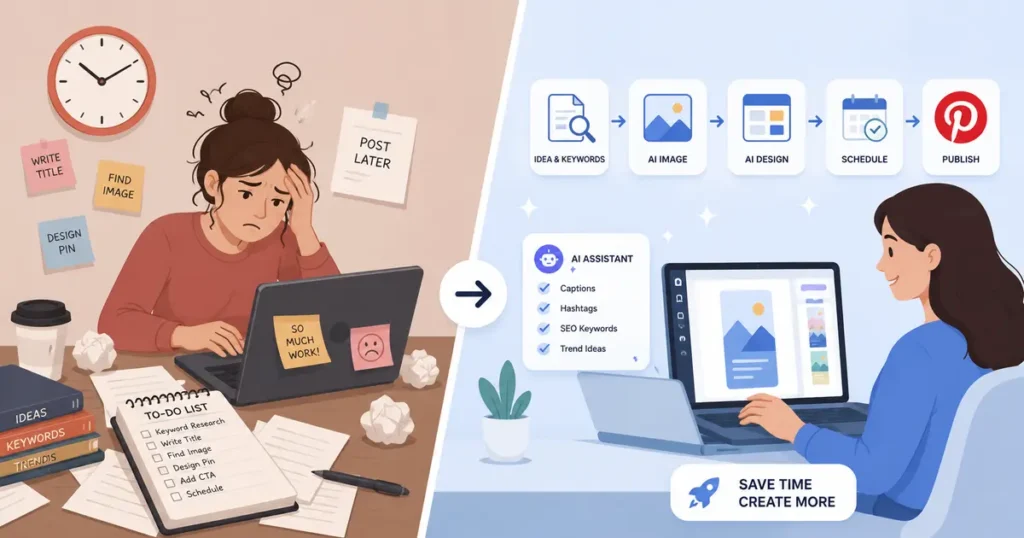
This is the question I get asked most, and most guides only get it half-right.
Pinterest now applies an “AI modified” label to image pins its systems detect as AI-generated or edited, based on IPTC metadata standards and its own image classifiers. You’ll see it in the bottom-left corner when someone taps a pin in closeup.
Here’s what actually matters:
- The label doesn’t carry a confirmed ranking penalty right now, but Pinterest hasn’t guaranteed it never will as the classifiers improve.
- People on Pinterest can choose to “see fewer” AI-labeled pins in categories like beauty, art, and home decor, which means AI-heavy niches may see organic reach soften over time.
- If a pin gets mislabeled (it happens, especially with heavily edited photos), creators can submit an appeal through Pinterest’s help center.
My honest recommendation: use AI for ideation, copywriting, and layout, but keep your core imagery rooted in real photography or original design wherever your niche allows it. It’s the safer long-term bet while Pinterest’s labeling system keeps evolving.
AI Content Calendar Generator: How to Plan Pinterest Without Burning Out
A good AI content calendar generator is what actually makes a Pinterest strategy sustainable past week three.
Manually planning pins, blog posts, and repins across boards is where most beginners quit. The fix isn’t posting less, it’s planning smarter:
- Tools like Hootsuite’s OwlyWriter AI or a dedicated calendar platform can turn one topic into a week of drafted captions, freeing you to focus on editing instead of staring at a blank page.
- The best AI content calendar generators tie every slot back to a content pillar, your core recurring topics, so you’re never filling a hole with random, disconnected content.
- Batch one AI-assisted planning session per month, then let scheduling tools handle the daily publishing grind.
AI for Instagram Growth in 2026: Making Pinterest and Instagram Work Together
If you’re only using AI for Instagram growth and treating Pinterest as an afterthought, you’re leaving free traffic on the table, and the reverse is just as true.
The two platforms reward different things, but AI makes running both at once genuinely efficient for the first time:
- Draft one caption with an AI writing tool, then adapt the tone: Pinterest descriptions should read like natural, keyword-rich answers, while Instagram captions can be punchier and more conversational.
- Instagram’s biggest 2026 AI wins live in the DM and comment inbox, where automated, on-brand replies capture leads without you manually answering every message.
- One blog post or product photo can become a Pinterest pin, an Instagram carousel, and a Reel cover using the same AI design tool, cutting content creation time roughly in half.
One of my clients repurposes a single weekly blog post into five pins, one Instagram carousel, and three Story frames using Canva and a shared content calendar. That post used to take four hours to turn into content. It now takes ninety minutes.
AI for Social Media Marketing Beginners: A Free 7-Day Starter Stack
If all of this is new to you, here’s how I’d start with zero budget.
- Day 1–2: Set up a free Canva account and learn Magic Design using your own product photos or blog images.
- Day 3: Create a Pinterest business account and search your main topic in the Pinterest search bar to collect autocomplete keyword ideas.
- Day 4: Write five pin titles and descriptions using those keywords, keeping the language conversational instead of keyword-stuffed.
- Day 5: Set up a simple content calendar; a free Notion or Google Sheets template works fine to start.
- Day 6: Schedule your first week of pins using Canva’s or Tailwind’s free scheduling tier.
- Day 7: Review what got saved or clicked, and double down on that topic next week.
You don’t need a paid tool stack to start. You need one design tool, one keyword source, and consistency.
Mistakes I See Beginners Make With AI on Pinterest
- Publishing AI copy without editing it. Pinterest’s algorithm favors natural, intent-matching language, and unedited AI text often reads generic enough to underperform.
- Ignoring your own analytics. AI tools can suggest what’s trending broadly, but only your account’s data tells you what’s actually working for your audience.
- Treating every AI tool as essential. Most accounts genuinely need one design tool, one scheduler, and one keyword source, not ten overlapping subscriptions.
- Skipping the “AI modified” label conversation entirely. Know the rules before you build an entire strategy around AI-generated visuals.
For a deeper technical breakdown of how ranking actually works, Sprout Social’s Pinterest algorithm guide is worth bookmarking alongside this one.
Frequently Asked Questions
Are AI tools for Pinterest marketing free?
Many are. Canva, Pinterest’s own Trends tool, and Pinterest Performance+ all have genuinely useful free tiers. Paid tools tend to add bulk automation, deeper analytics, or multi-account management on top of that.
Does Pinterest penalize AI-generated images?
There’s no confirmed direct ranking penalty as of 2026, but AI-labeled pins can be filtered out by people who choose to “see fewer” of them in certain categories, which can quietly soften reach over time.
What is Pinterest Performance+?
It’s Pinterest’s own free, native AI ad suite that automates targeting, bidding, and creative testing for advertisers, reporting a meaningfully higher conversion lift than manually built campaigns.
Can complete beginners use AI for social media marketing without design experience?
Yes. Tools like Canva Magic Studio are built specifically so beginners can produce professional-looking pins and posts without any design background.
Is Pinterest still good for free, organic traffic in 2026?
Yes, especially compared to platforms where organic reach for small accounts has largely disappeared. Pinterest’s evergreen search behavior means a well-optimized pin can keep sending traffic for months or years after you publish it.
Do I need different AI tools for Pinterest and Instagram?
Not entirely. Design and calendar tools can serve both platforms at once, but scheduling and copywriting work best when adapted separately, since each platform’s algorithm rewards a different format and tone.
Want more practical AI guides for small business owners? Browse our full library at GetFuturix.com.
Related articles on GetFuturix: