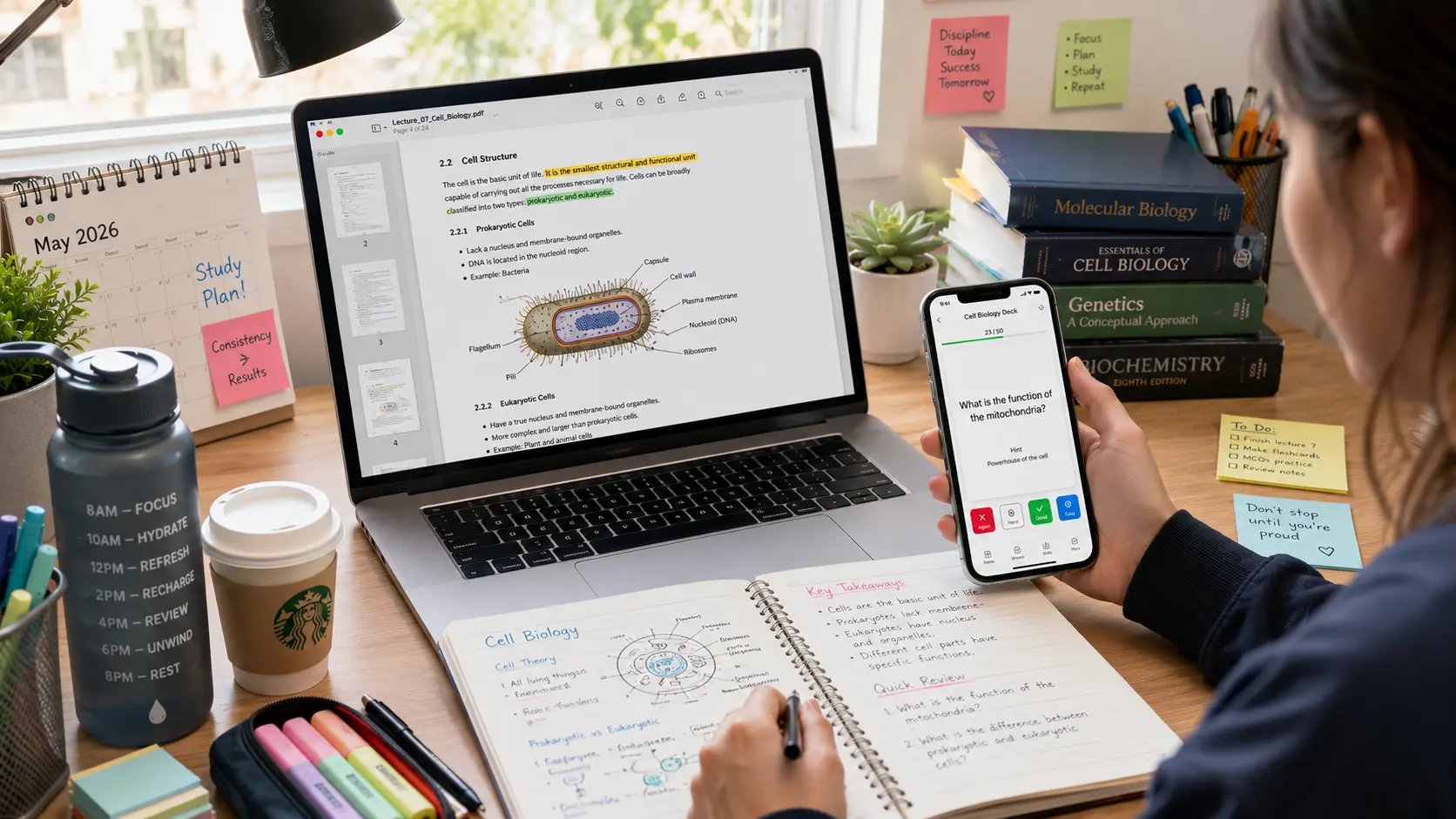
Here’s something worth knowing before you trust another “best AI flashcard generator” roundup: a lot of them are written by the flashcard app itself.
Search this topic and you’ll land on comparison articles hosted on the exact domain of the tool ranked “#1.” That’s not a coincidence, and it’s not really journalism either. We’re doing this one differently — sticking to what’s actually verifiable, and being honest about where the marketing claims outrun the evidence.
Here’s what genuinely works, what the actual cognitive science says, and a completely free method that takes five minutes to set up tonight.
Table of Contents
Why Flashcards Work (The Actual Science)
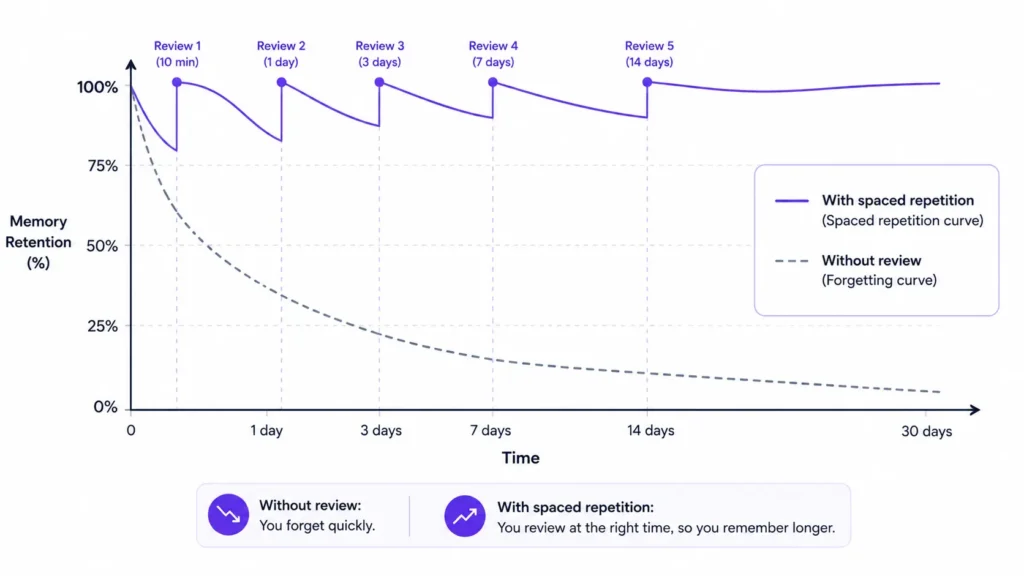
Before picking a tool, it helps to know why flashcards work at all — because most of the marketing skips this and jumps straight to features.
A landmark 2013 review by Dunlosky and colleagues, published in Psychological Science in the Public Interest, tested ten common study techniques against each other. Two came out clearly ahead of everything else: practice testing and distributed practice — which is the academic term for spaced repetition. Highlighting, rereading, and summarising all scored far lower.
Flashcards combine both winning techniques in one format. Each card is a tiny test (active recall), and reviewing them at increasing intervals rather than all at once (spaced repetition) is what actually moves information into long-term memory. This isn’t a marketing claim. It’s the reason flashcards have outlasted every trendier study method for the last decade.
The real question isn’t whether flashcards work. It’s whether the tool you pick actually implements spaced repetition properly — and that’s where a lot of AI flashcard apps quietly fall short.
Best AI Flashcard Generator 2026: What We’d Actually Recommend
There’s no single best AI flashcard generator for every student — the honest answer depends on what you’re optimising for: card creation speed, review scheduling precision, or a system already built into your notes.
If you want proper spaced repetition and don’t mind some setup: Anki, paired with an AI tool to generate the cards. Anki has been the reference standard in this space for close to two decades, largely because of its scheduling algorithm rather than its (frankly outdated) interface.
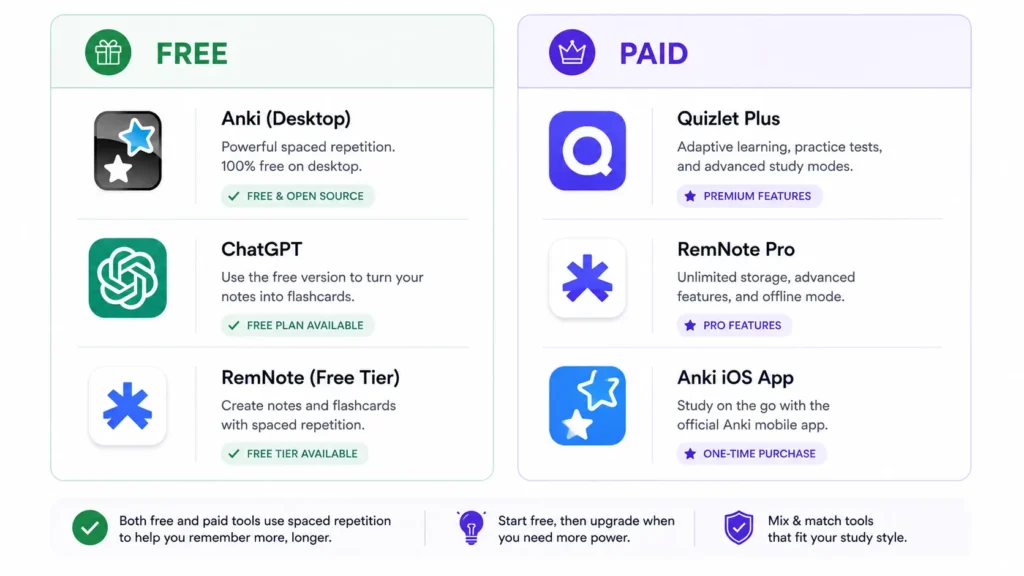
If you want the largest library of existing material: Quizlet. Its scale is genuinely unmatched — millions of user-created sets exist for almost any college course. The tradeoff worth knowing upfront: Quizlet’s AI features (Magic Notes, its AI tutor) sit behind a paid Quizlet Plus subscription, and its built-in scheduling is an adaptive practice system, not a true interval-based spaced repetition engine like Anki’s.
If you want flashcards generated automatically from your own notes as you write them: RemNote. Highlight a concept while taking notes, and it becomes a flashcard automatically — grounding your cards in your actual lecture material rather than generic content, with genuine spaced repetition built in.
→ See also: How to Use ChatGPT for Beginners: The Complete Guide
AI Flashcards vs Anki: Two Genuinely Different Approaches
This comparison gets muddled constantly, so let’s be precise about it.
Anki is a scheduling engine, not primarily a content generator. It uses FSRS (Free Spaced Repetition Scheduler) — a modern, open-source algorithm built directly into Anki since version 23.10 — to calculate exactly when you should see each card again based on how well you remembered it last time. Anki doesn’t write your cards for you. You create them manually, or you generate them elsewhere and import them in.
Newer AI flashcard tools flip that emphasis. They’re built around fast content generation — upload a PDF, paste your notes, get cards in under a minute — with spaced repetition added on afterward, often with less algorithmic sophistication than Anki’s FSRS engine.
Neither approach is objectively better. If scheduling precision matters most to you — say, for a board exam with thousands of facts to retain over months — Anki’s engine is the more rigorous choice. If getting from “wall of lecture notes” to “reviewable cards” in minutes matters more, an AI-first generator removes real friction that keeps a lot of students from making cards at all.
Pricing is worth knowing too: Anki’s desktop app is free on Windows, Mac, and Linux, and free on Android. The iOS app costs roughly $25 as a one-time purchase — unusual for an app store, but it’s what funds Anki’s free development elsewhere.
How to Make Flashcards With ChatGPT for Free
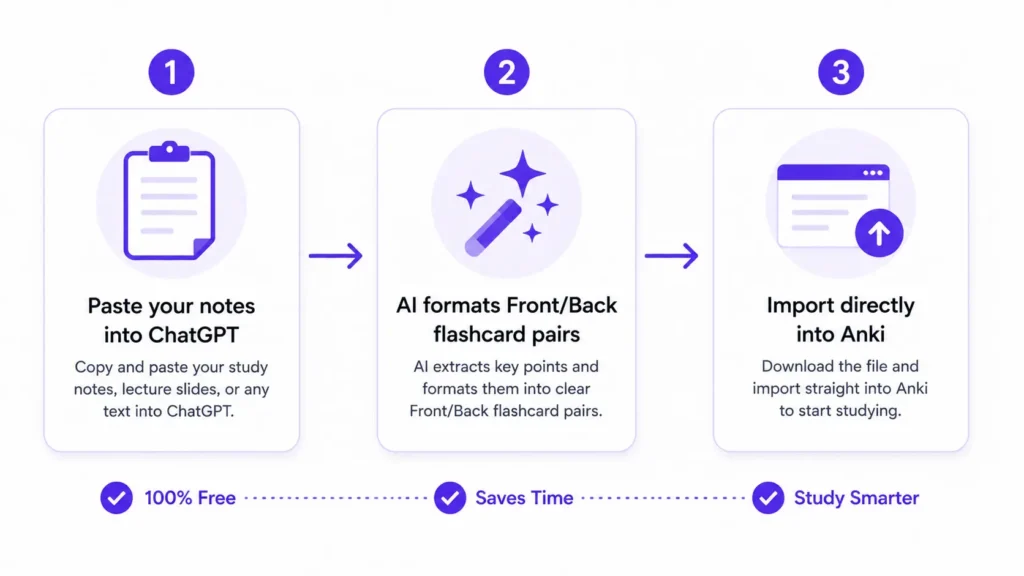
Here’s the genuinely free method serious students have been using for a while, and it takes about five minutes to set up.
Step 1 — Paste your notes into ChatGPT along with a specific formatting instruction: “Create 20 flashcards from the following material. Format each card exactly as: Front: [question] | Back: [answer]. Make every question specific and testable — avoid vague prompts like ‘describe the process.'”
Step 2 — Review what comes back. ChatGPT doesn’t know your course, your professor’s specific emphasis, or what’s actually going to be tested — you still need to check for accuracy and relevance before trusting the cards fully.
Step 3 — Import the formatted list directly into Anki. Anki accepts plain-text imports in Front/Back format, so you paste the list in, map the fields once, and every card immediately enters Anki’s real spaced repetition schedule.
This combination works precisely because it plays to each tool’s actual strength. ChatGPT is fast and flexible at generating content from any material — including niche or advanced subjects a dedicated flashcard app might not have templates for. Anki is the more rigorous scheduler. Together, you get free generation plus free, serious spaced repetition — no subscription required for either half.
AI Flashcard Generator From Notes and PDFs
If your studying starts with dense lecture PDFs or slide decks rather than clean notes, this is the category built specifically for that.
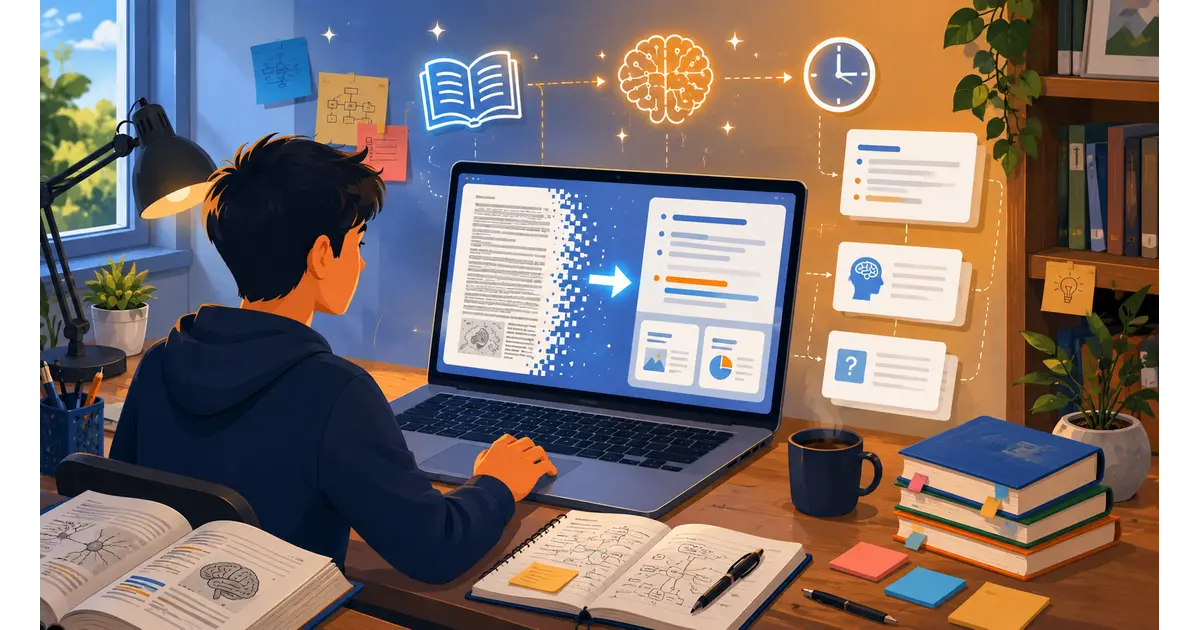
A genuine AI flashcard generator from notes handles messy source material directly — a 40-slide lecture deck, a scanned textbook chapter, even a photo of handwritten notes via OCR — and extracts testable facts automatically rather than requiring you to retype everything first.
The quality gap between tools here is real and worth testing before committing. Some generators skew toward surface-level vocabulary extraction — easy facts, definitions, dates — while missing the deeper conceptual relationships that dense material actually requires for genuine understanding. Before trusting any AI flashcard generator from notes with your actual exam prep, run one real lecture through it and check whether the cards test understanding or just recognition.
For visual subjects — anatomy, art history, diagram-heavy sciences — look specifically for tools that generate image-based cards rather than text-only ones, since a flashcard asking you to identify a structure on a diagram tests something a text prompt simply cannot.
Comparing the Options by What You Actually Need
Here’s the honest breakdown, matched to what actually matters for different students.
| Tool | Best For | Free Tier | Spaced Repetition | Card Generation |
|---|---|---|---|---|
| Anki | Long-term retention, board exams | Desktop + Android free | True FSRS algorithm | Manual (or import from elsewhere) |
| ChatGPT + Anki | Free, flexible, any subject | Both free | Anki’s real FSRS | Fast, needs your review |
| Quizlet | Existing course-specific decks | Limited | Adaptive, not true SRS | AI features paywalled (~$8/mo) |
| RemNote | Notes-and-flashcards in one system | Yes | Built-in, genuine | Automatic from your notes |
| Brainscape | Certifications, confidence-based review | Limited | Confidence-based, different model | Curated expert decks |
The realistic starting point for most students: try the free ChatGPT-to-Anki workflow this week before paying for anything. If the friction of manual review genuinely slows you down once your card volume grows, that’s when a dedicated AI flashcard generator from notes earns its subscription cost.
What AI Flashcards Won’t Fix About Your Studying
Being honest about the limits here, because this category oversells itself constantly.
AI-generated cards still need your review. No tool — however good the marketing copy — knows exactly what your specific professor will test. Treat every auto-generated card as a draft to verify, not a finished study material.
Cramming still doesn’t work, even with perfect flashcards. Spaced repetition requires actual spacing — reviewing across days and weeks, not all in one caffeinated evening. A perfect deck reviewed the wrong way still produces weak retention.
A flashcard tool won’t diagnose gaps in understanding by itself. If you keep missing the same card, that’s a signal to go back to the source material and actually re-learn the concept — not just keep re-testing yourself on a fact you’ve never truly understood.
Frequently Asked Questions About AI Flashcard Generators
Q: What is the best AI flashcard generator for 2026?
A: There’s no single universal answer — the best AI flashcard generator 2026 depends on your priority. For scheduling precision, Anki’s FSRS algorithm remains the reference standard. For automatic generation from notes as you write them, RemNote is a strong, genuinely free option. For a completely free combination, pairing ChatGPT for card generation with Anki for spaced repetition covers both halves without any subscription.
Q: Are AI flashcards better than Anki?
A: They solve different problems. AI flashcards vs Anki really comes down to generation speed versus scheduling rigor: AI-first tools get you from notes to reviewable cards faster, while Anki’s FSRS algorithm is more precise for long-term retention over months of study. Many serious students use both together — AI to generate, Anki to schedule.
Q: How do I make flashcards with ChatGPT?
A: Paste your notes into ChatGPT along with formatting instructions like “Create flashcards formatted as Front: [question] | Back: [answer], with specific, testable questions.” Review the output for accuracy, then import the list directly into Anki or another spaced repetition app. How to make flashcards with ChatGPT this way costs nothing and takes about five minutes to set up.
Q: Is there a free AI flashcard maker that actually works?
A: Yes. Combining ChatGPT (free tier) for card generation with Anki (free on desktop and Android) for spaced repetition scheduling is a genuinely capable free AI flashcard maker setup with no subscription required for either piece. RemNote also offers a usable free tier that generates cards automatically from your notes.
Q: Can AI generate good flashcards from a PDF?
A: Quality varies significantly between tools. A genuine AI flashcard generator from notes or PDFs should extract testable facts and conceptual relationships, not just surface vocabulary and dates. Before trusting any tool with real exam prep, test it on one actual lecture or chapter first and check whether the generated cards test genuine understanding.
Q: Does spaced repetition actually work, or is that just marketing?
A: It’s genuine, well-established cognitive science. A widely cited 2013 review by Dunlosky and colleagues in Psychological Science in the Public Interest found distributed practice (spaced repetition) and practice testing to be the two most effective learning techniques among those studied — outperforming rereading, highlighting, and summarising by a clear margin. Spaced repetition app AI tools are effective specifically because they automate the timing part of a genuinely proven technique.
Start With the Free Method Tonight
You don’t need to subscribe to anything to find out if this works for you.
Open ChatGPT right now, paste in your next lecture’s notes, and ask for twenty flashcards in Front/Back format. Import them into Anki — free on desktop, free on Android — and review your first ten cards before bed.
The best AI flashcard generator 2026 has to offer is the one you’ll actually use consistently — not the one with the flashiest self-written review. Start free. See what sticks. Upgrade only once you know exactly what you’re missing.
Want more practical AI study guides? Browse our full library at GetFuturix.com.
Related articles on GetFuturix: